> ## Documentation Index
> Fetch the complete documentation index at: https://docs.idun-group.com/llms.txt
> Use this file to discover all available pages before exploring further.
# Memory
> Enable agents to maintain state and context across conversations using checkpointing and session services.
Memory enables agents to maintain state and context across conversations. With memory configured, agents remember previous interactions and can resume conversations after failures or restarts.
Idun Engine supports multiple memory and checkpointing strategies depending on your agent framework.
## Framework support
Checkpointing for conversation state persistence. Supports in-memory, SQLite, and PostgreSQL backends.
Session services for conversation state and memory services for long-term knowledge storage.
## How checkpointing works
Checkpointing saves your agent's state during execution. Each interaction is associated with a unique session or thread identifier, and the platform saves state snapshots at each step of the agent graph. This enables:
* **Conversation continuity**: Maintain context between interactions
* **Fault tolerance**: Resume from the last successful step after a failure
* **Thread isolation**: Each `session_id` maps to a unique thread, keeping conversations separate
* **Concurrent conversations**: Multiple users can interact with the same agent simultaneously
## Backend comparison
| Backend | Persistence | Concurrency | Best for |
| ------------------ | ---------------------- | -------------- | ---------------------------------------------- |
| **In-memory** | None (lost on restart) | Single process | Development and testing |
| **SQLite** | File-based | Single writer | Local development, single-instance deployments |
| **PostgreSQL** | Database | Multi-process | Production, multi-instance deployments |
| **Vertex AI** | Cloud-native | Distributed | Production on Google Cloud (ADK only) |
| **Database (SQL)** | SQL-based | Multi-process | Production with SQL persistence (ADK only) |
## Quick configuration examples
Navigate to `/admin/memory/` in the running standalone. The catalog shows the supported backends: SQLite, PostgreSQL, In Memory, Vertex AI, and Database (ADK-only).
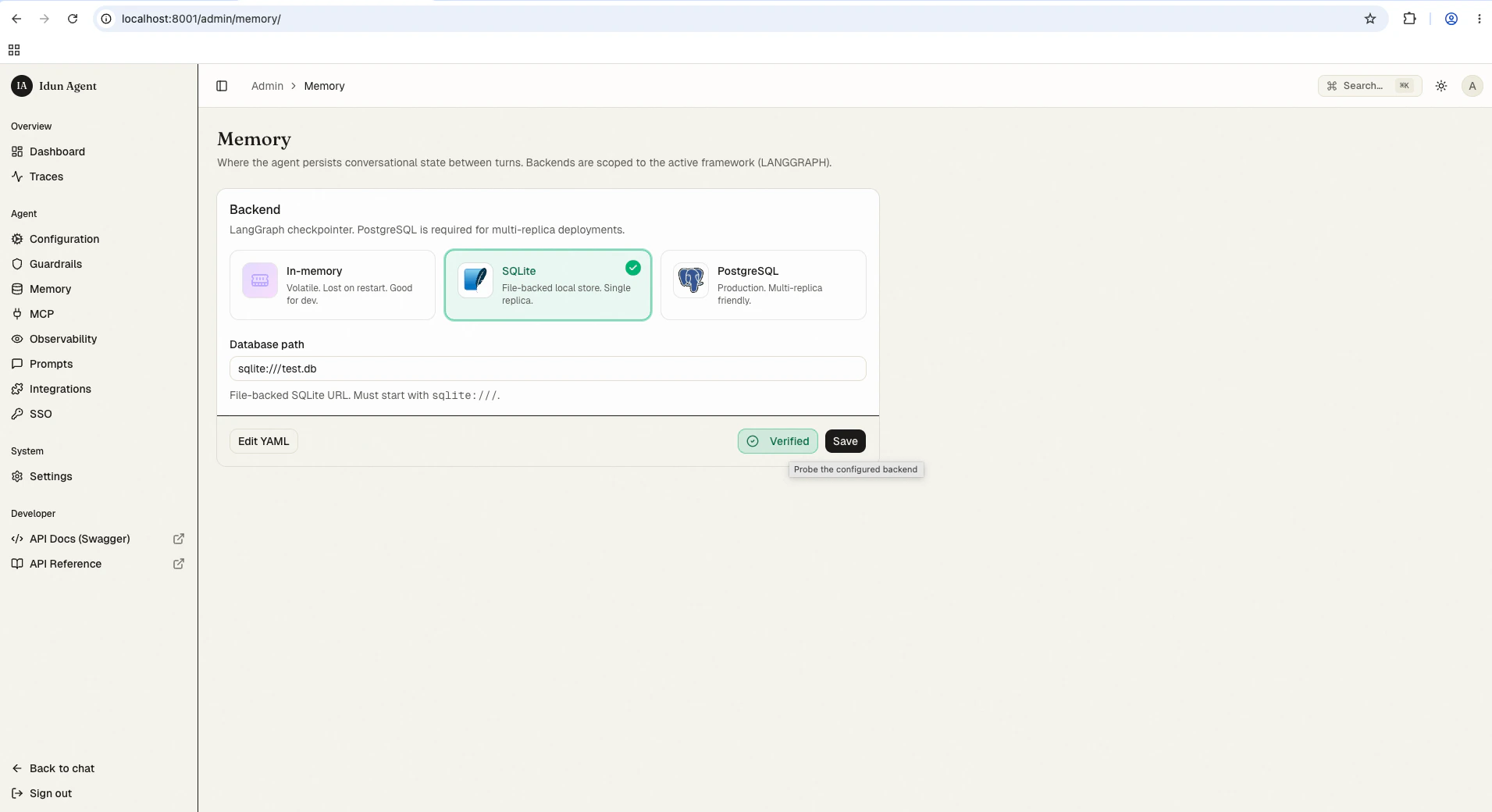 Click the backend you want and fill in the connection details. Save; the reload pipeline re-instantiates the engine with the new checkpointer or session service.
```yaml theme={"theme":{"light":"github-light","dark":"github-dark"}}
agent:
type: "LANGGRAPH"
config:
checkpointer:
type: "postgres"
db_url: "postgresql://user:pass@localhost:5432/dbname"
```
```yaml theme={"theme":{"light":"github-light","dark":"github-dark"}}
agent:
type: "ADK"
config:
session_service:
type: "in_memory"
memory_service:
type: "in_memory"
```
## Best practices
* **Use in-memory for development**: No setup required, fastest iteration
* **Use PostgreSQL or Database for production**: Multi-process support, reliability, and crash recovery
* **Configure thread isolation**: Each conversation should have a unique `session_id` to prevent state leakage
* **Monitor storage usage**: Long-running conversations can accumulate significant state over time
## Next steps
Checkpointing for conversation state persistence. Supports in-memory, SQLite, and PostgreSQL backends.
Session services for conversation state and memory services for long-term knowledge storage.
Click the backend you want and fill in the connection details. Save; the reload pipeline re-instantiates the engine with the new checkpointer or session service.
```yaml theme={"theme":{"light":"github-light","dark":"github-dark"}}
agent:
type: "LANGGRAPH"
config:
checkpointer:
type: "postgres"
db_url: "postgresql://user:pass@localhost:5432/dbname"
```
```yaml theme={"theme":{"light":"github-light","dark":"github-dark"}}
agent:
type: "ADK"
config:
session_service:
type: "in_memory"
memory_service:
type: "in_memory"
```
## Best practices
* **Use in-memory for development**: No setup required, fastest iteration
* **Use PostgreSQL or Database for production**: Multi-process support, reliability, and crash recovery
* **Configure thread isolation**: Each conversation should have a unique `session_id` to prevent state leakage
* **Monitor storage usage**: Long-running conversations can accumulate significant state over time
## Next steps
Checkpointing for conversation state persistence. Supports in-memory, SQLite, and PostgreSQL backends.
Session services for conversation state and memory services for long-term knowledge storage.