

Prerequisites
- A running Idun agent (engine)
- A Discord account
- Your engine must be publicly reachable (use ngrok for local development)
Setup
- Admin UI
- Config file
1
Open the integrations admin page
Navigate to
/admin/integrations/ in the running standalone. The channel catalog shows WhatsApp, Discord, Google Chat, Slack, and Microsoft Teams as active channels.2
Create the Discord integration
Click Discord and fill in the form: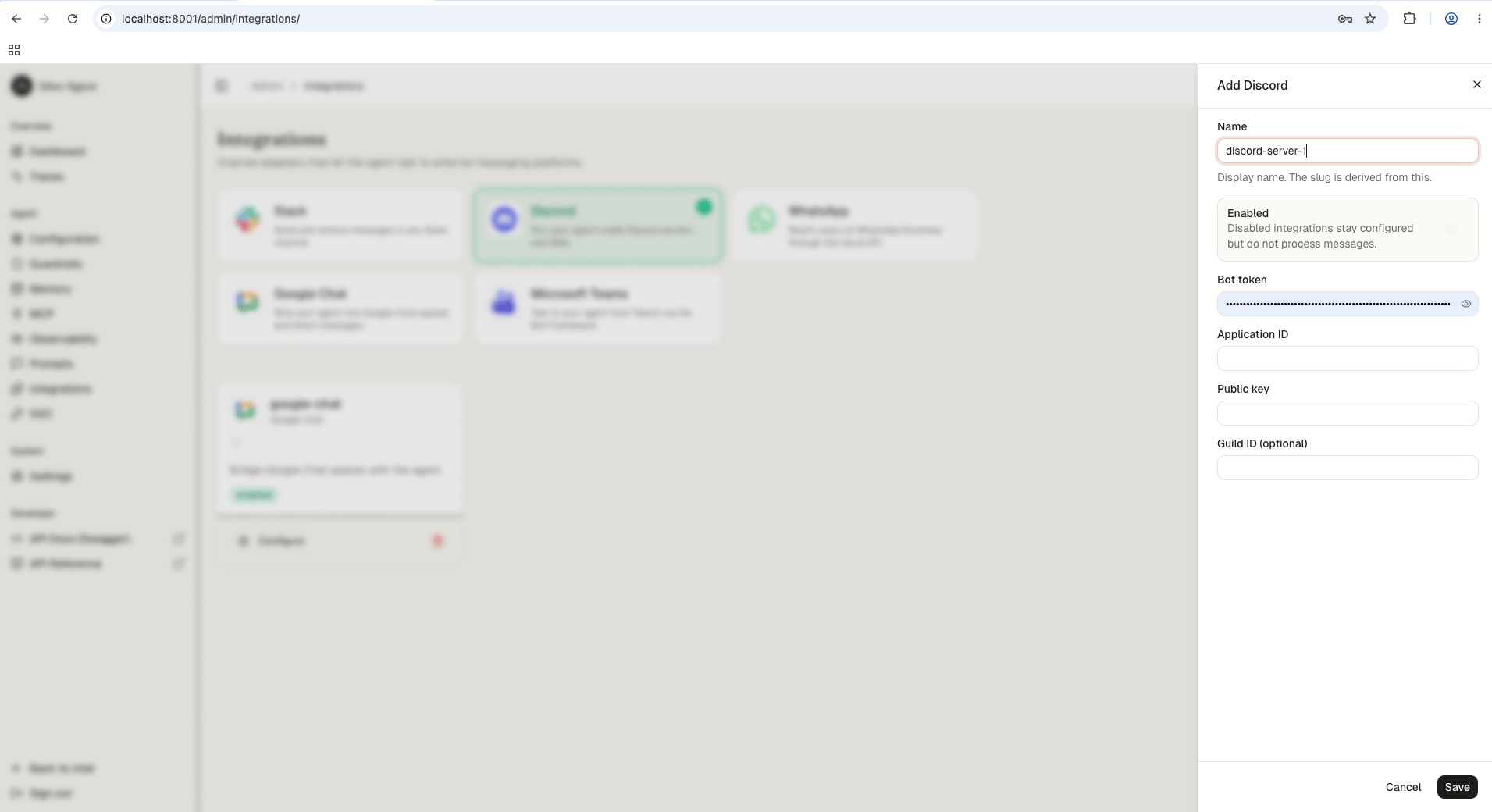
3
Save
Save the form. The reload pipeline registers the Discord webhook handler on the running engine.
How it works
- User sends
/ask query: ...in Discord - Discord POSTs the interaction to your engine’s webhook
- Engine verifies the Ed25519 signature
- Engine defers the response (Discord requires a reply within 3 seconds)
- Engine invokes the agent asynchronously with the query text
- Engine edits the deferred message with the agent’s reply
Next steps
Slack
Connect your agent to Slack DMs and channels.
Microsoft Teams
Reach the same agent through Bot Framework in Teams.
Production hardening
Secure the engine before exposing webhooks to the public internet.