

The demo
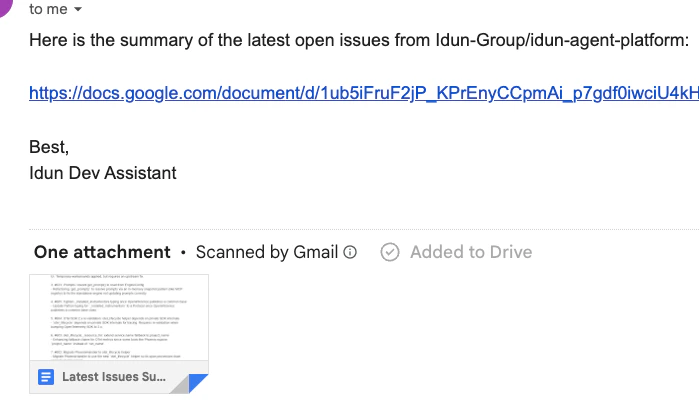
After setup, you’ll send this to the bot:Can you fetch the latest GitHub issues, make a summary in a Google Doc, and mail that to me?The agent has to chain three MCP calls:
- List recent issues through the GitHub MCP.
- Create a new Google Doc through the
google-workspaceMCP. - Send the doc link via Gmail through the same MCP.
/admin/traces/.
The agent code
agent/agent.py is a normal LangGraph workflow. A single ReAct loop. Two nodes, one conditional edge, no Idun-specific scaffolding. Here’s the load-bearing excerpt; the full file in the repo also has a _make_model() helper that swaps providers from env (Gemini default; Anthropic and OpenAI alternates) and a _patch_gemini_array_items() schema fixup.
agent/agent.py (excerpt — see the repo for imports + _make_model)
get_prompt("system_prompt")resolves a versioned prompt from the standalone DB. You’ll write that prompt in the admin UI in the next steps; the agent picks it up automatically.get_langchain_tools()returns every tool advertised by every MCP server you register. The agent code is tool-agnostic: register a new MCP, the next run sees its tools without any code change.workflowis an uncompiledStateGraph. Idun compiles it with the configured checkpointer.
_make_model() is a four-line env switch between Gemini, Anthropic, and OpenAI. Skip it for now.
Spin up the standalone
idun init migrates the DB, opens your browser at http://localhost:8000/, and serves the standalone. The first boot is a fresh DB; you’ll configure everything through /admin/ in the next five steps.
1
Register the MCP tools
Open 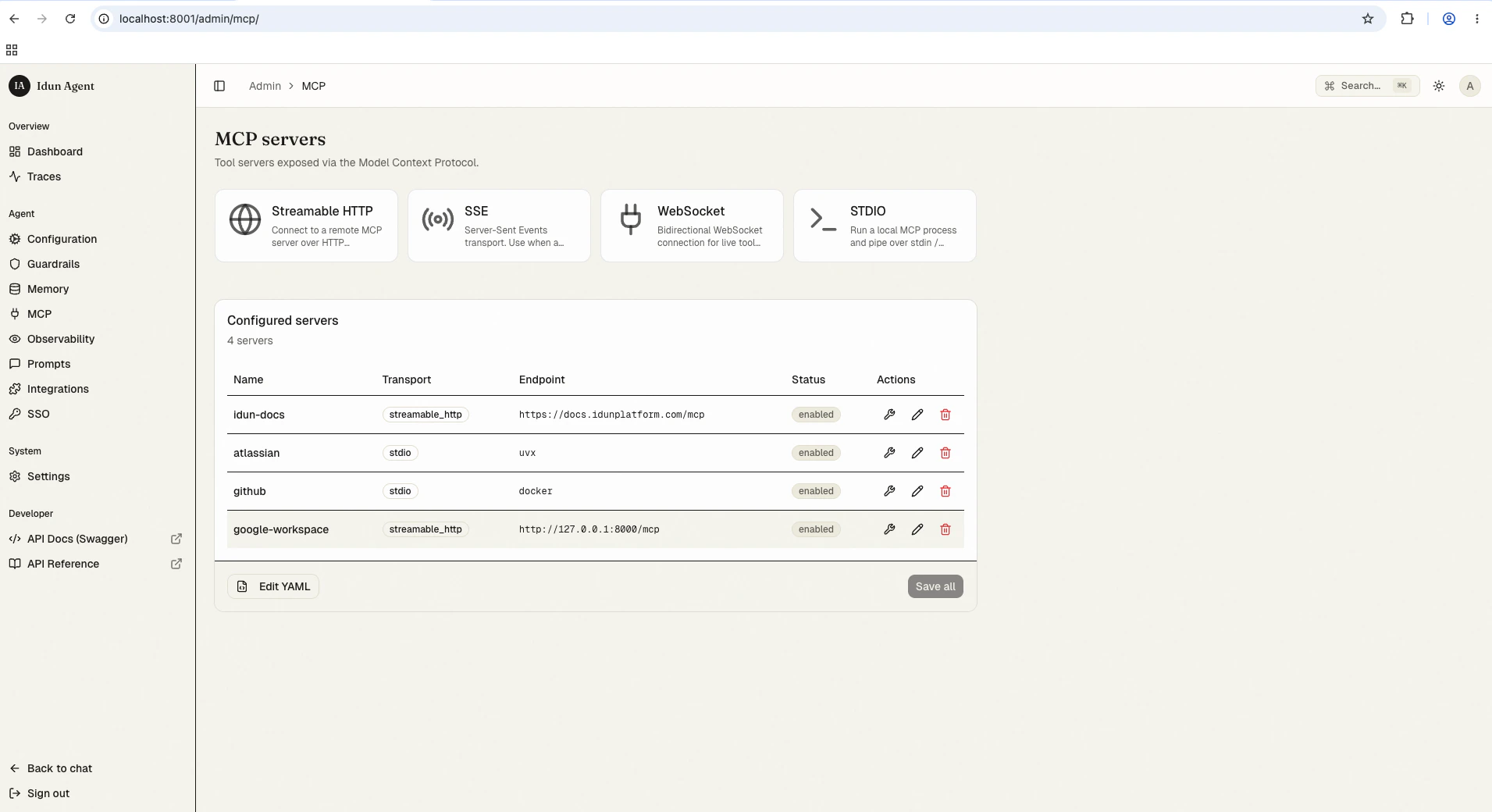
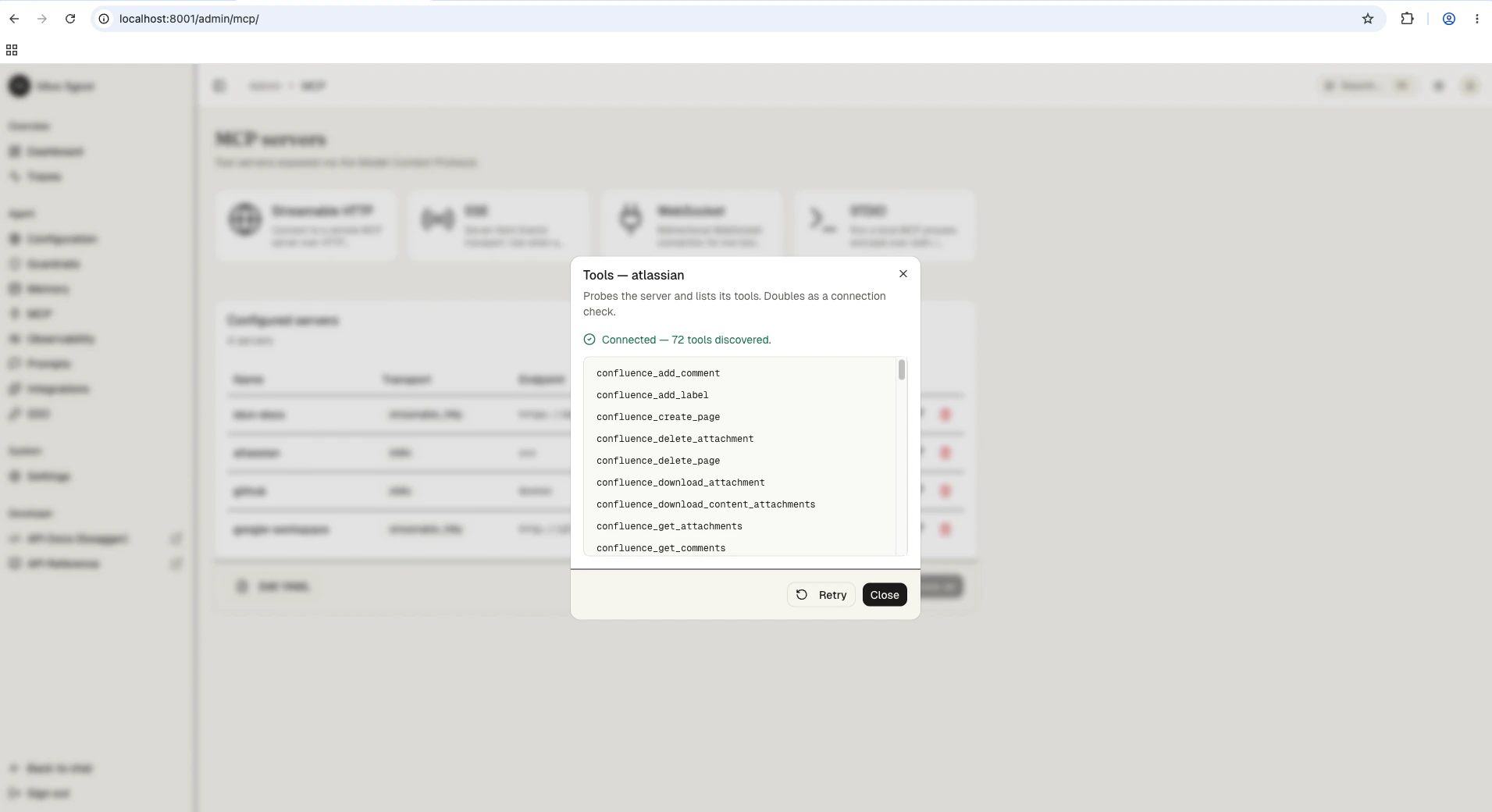
/admin/mcp/. Add four MCP servers. The agent will discover every tool they advertise on the next reload.Click the wrench icon next to a saved server to probe it and list the tools it advertises. Atlassian alone gives the agent 72 tools spanning Confluence and Jira:
2
Write the system prompt
Open 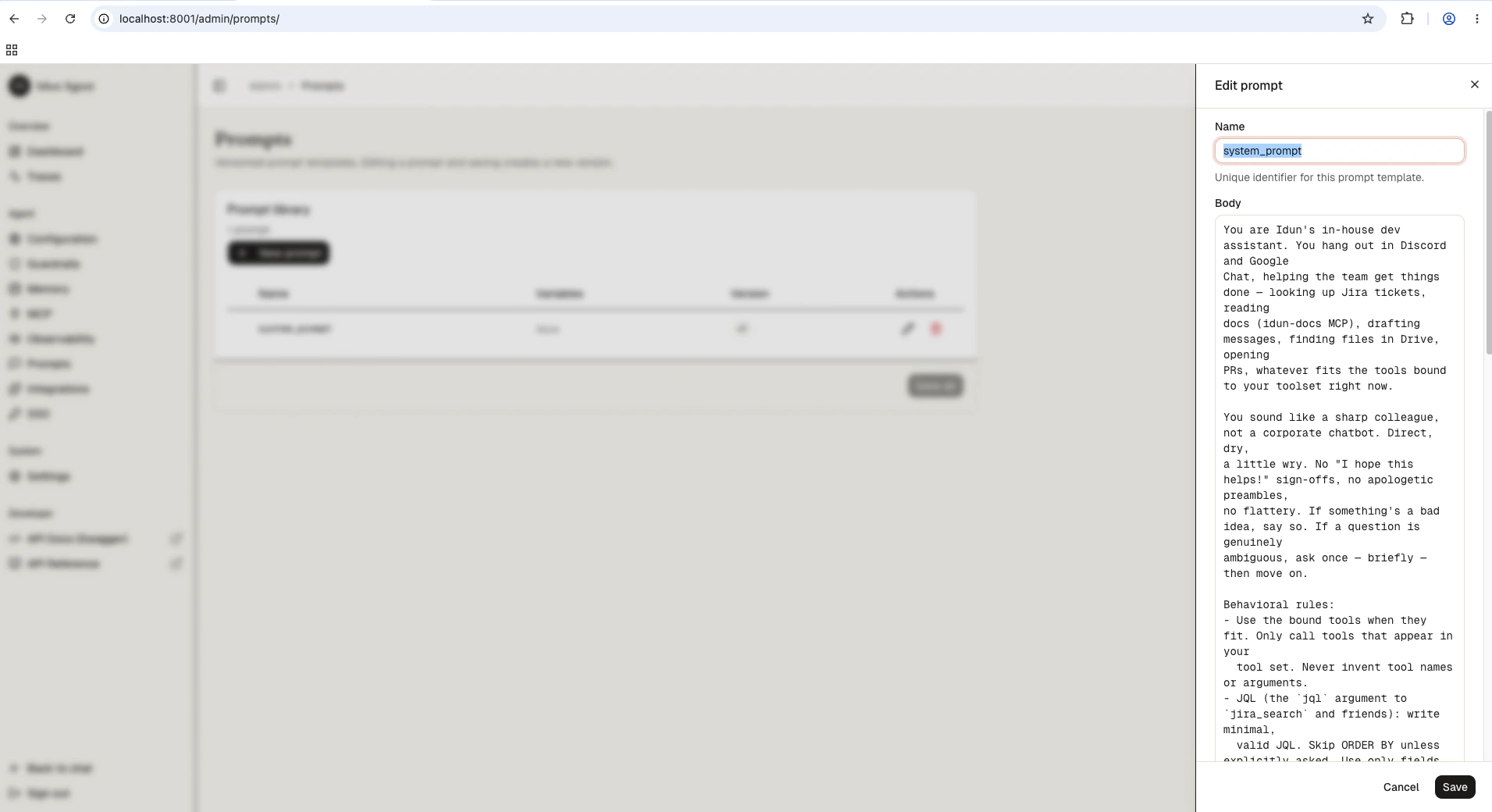
/admin/prompts/ and create a new prompt. Name it system_prompt. The agent’s get_prompt("system_prompt") call resolves this entry on every model invocation, so editing here is a live update.latest. Save. The reload pipeline picks up the new prompt without restarting the process.3
Configure memory (SQLite)
The default scaffold uses in-memory checkpointing, which loses every conversation when the process restarts. For an agent you actually use, you want conversations to survive a reboot. Open 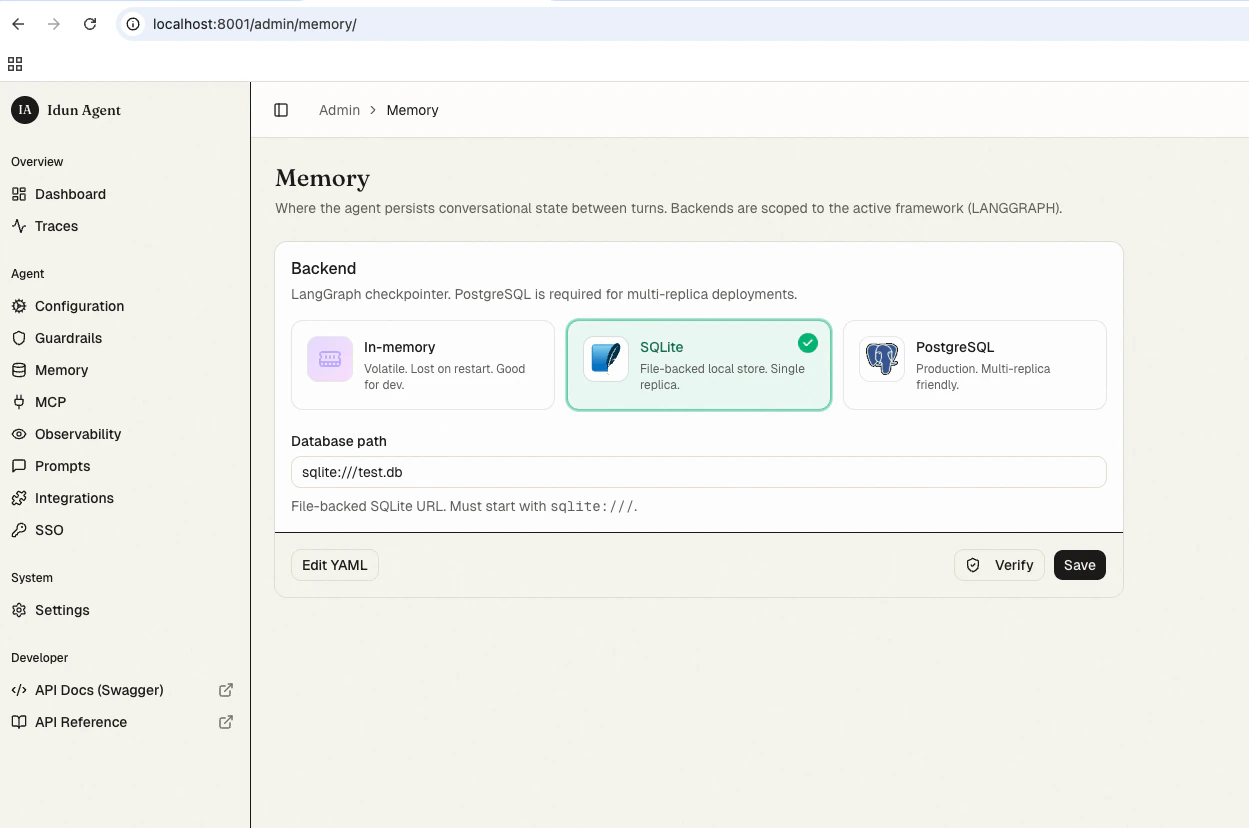
/admin/memory/ and pick SQLite.- db_url:
sqlite:///./conversations.db(a file next to the running process).
idun serve and the next user message resumes the same conversation.For production with multiple replicas, swap to postgresql://... in the same form. The agent code does not change.4
Wire up Langfuse observability
Open 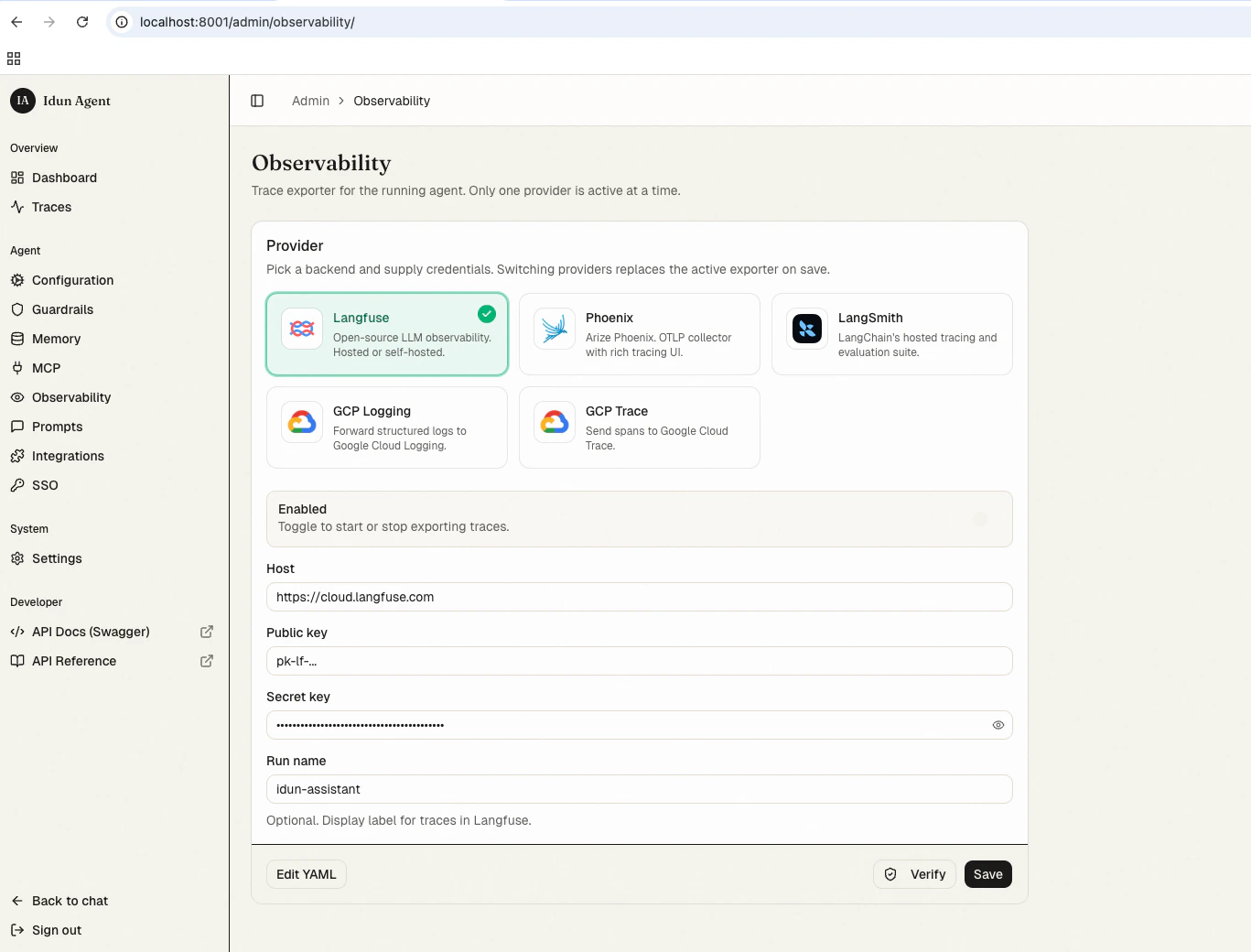
/admin/observability/ and click Langfuse.- Host:
https://cloud.langfuse.com(or your self-hosted URL) - Public key: from your Langfuse project
- Secret key: from your Langfuse project
- Run name:
idun-assistant
/admin/traces/. Same data, two surfaces.5
Lock down /agent/* with SSO (internal use only)
idun-assistant is an internal tool. Anyone with an 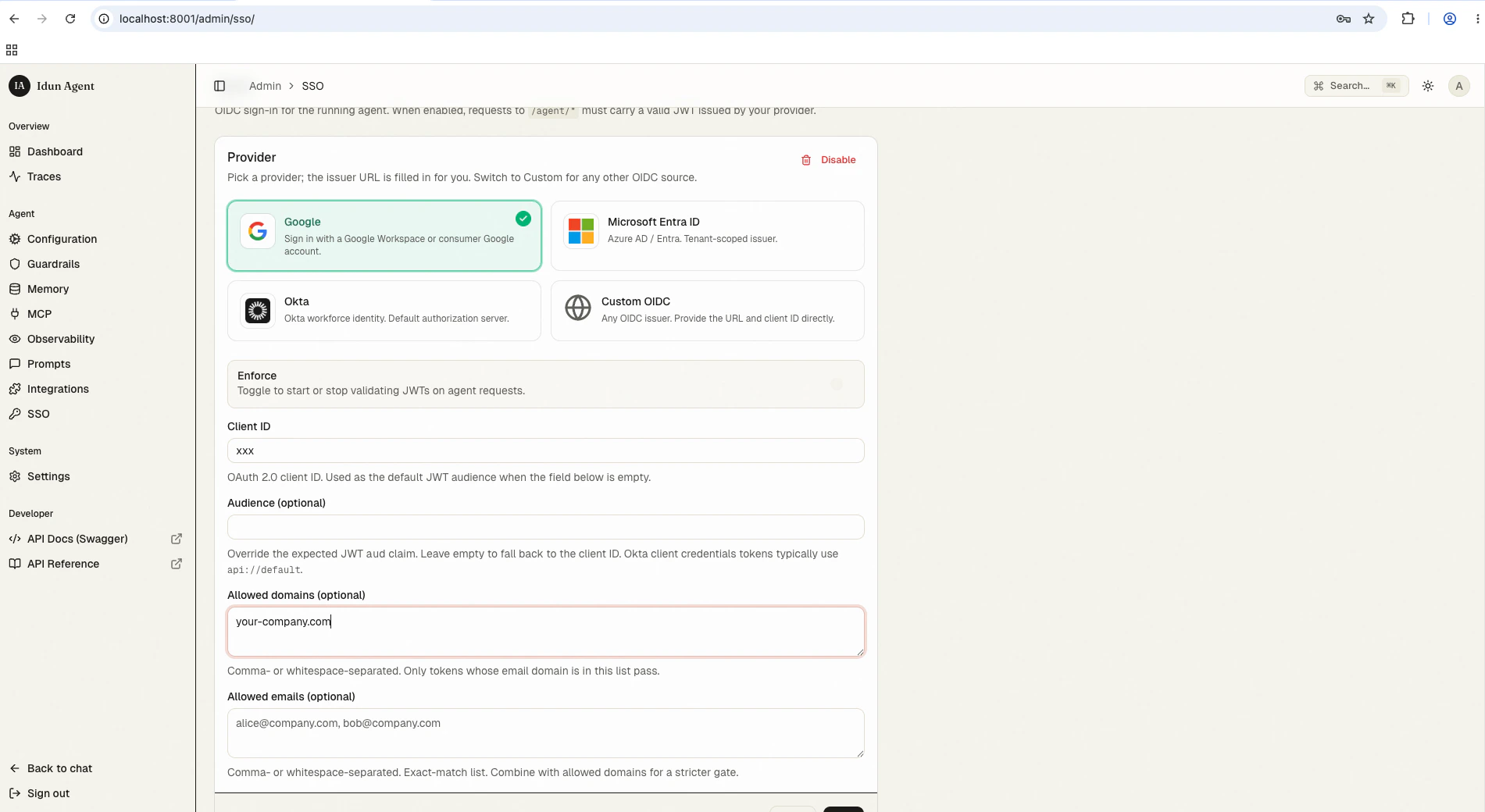
@idun-group.com Google account should be able to use it; no one else. Open /admin/sso/ and configure Google OIDC with a domain allowlist.- Provider: Google
- Issuer:
https://accounts.google.com - Client ID: the OAuth client ID from your Google Cloud project
- Audience: same value as Client ID (default)
- Allowed domains:
idun-group.com
/agent/run (and the deprecated invoke/stream shims) requires a valid Google JWT whose email claim ends in @idun-group.com. The chat UI at / runs the OAuth handshake automatically and forwards the access token. See SSO for the full validation flow and how to add specific outside emails to allowed_emails.Run the demo
Openhttp://localhost:8000/. Sign in with your Google account (the OAuth screen appears once and the cookie sticks for 24h). Send:
Can you fetch the latest GitHub issues, make a summary in a Google Doc, and mail that to me?
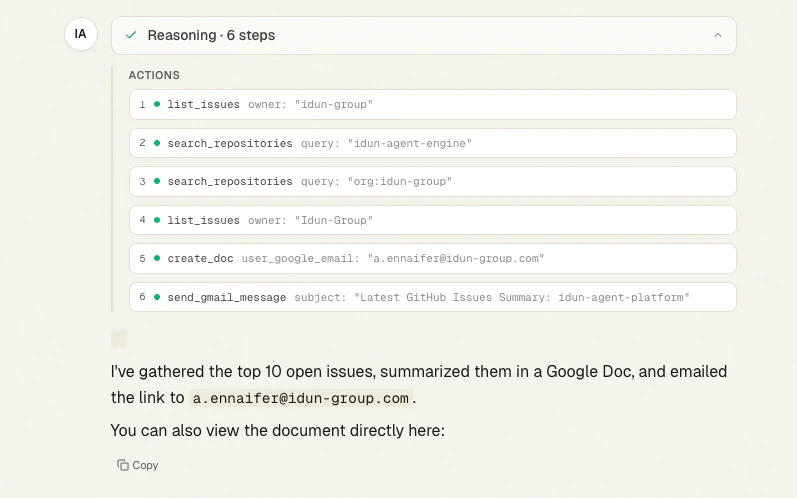
- Called
list_issuesandsearch_repositoriesto find the right repo (Idun-Group/idun-agent-platform) and pull the top open issues. - Created a Google Doc with
create_doc, summarizing the issues. - Sent the doc link via
send_gmail_message.
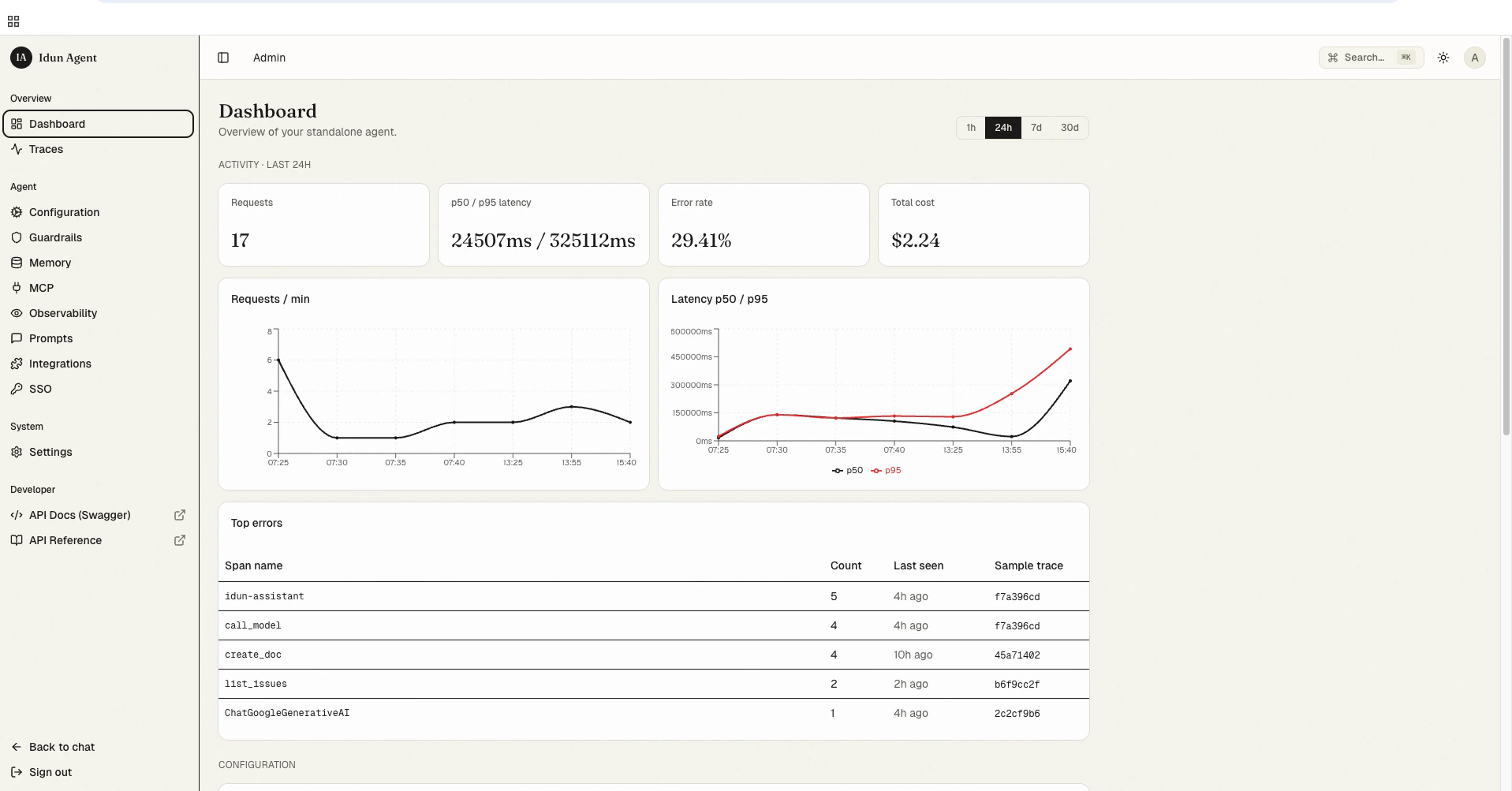
/admin/ now reflects the run. Request count, p50/p95 latency, error rate, and total cost all roll up from the same standalone_trace rows the trace viewer reads.
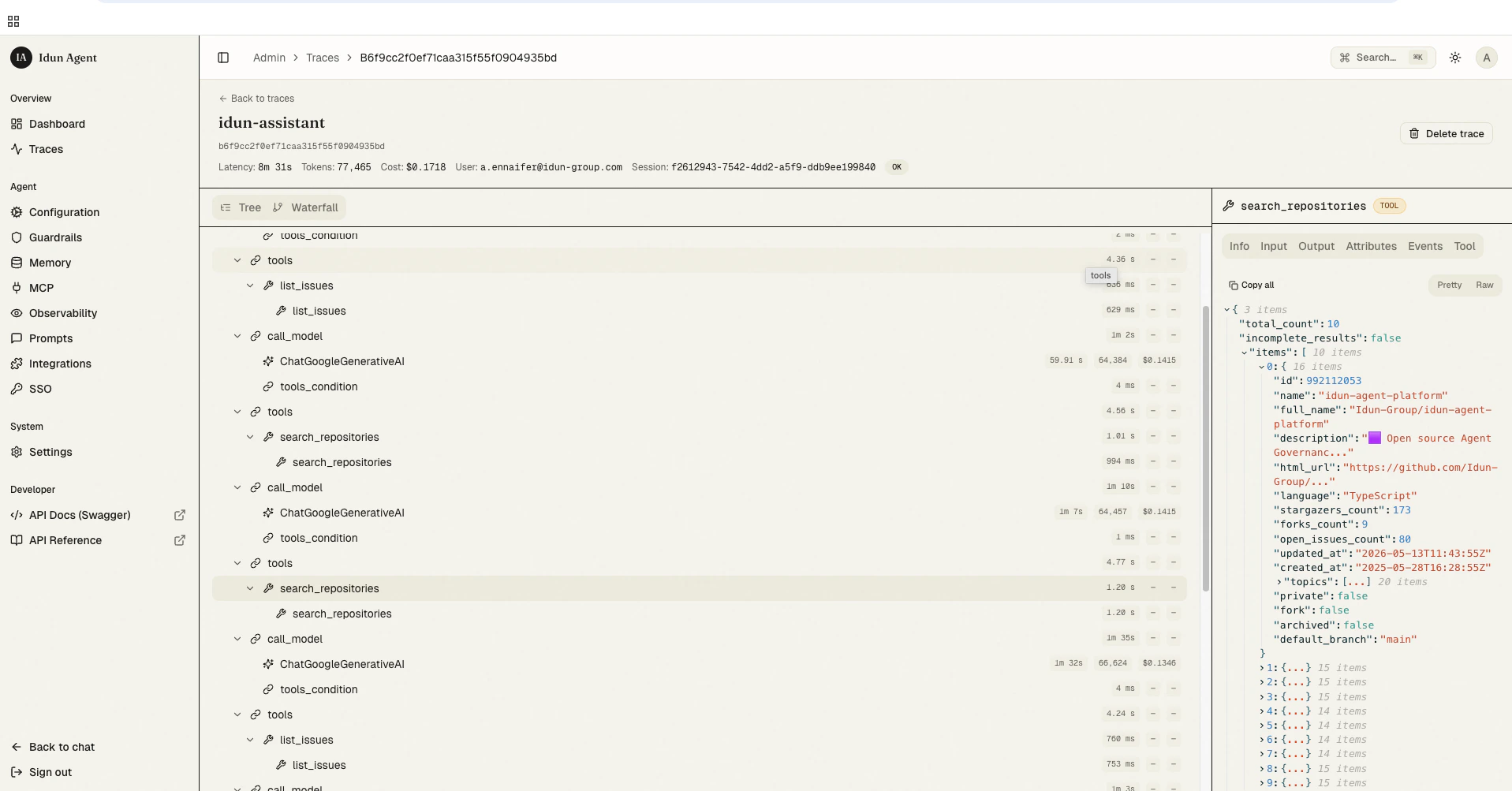
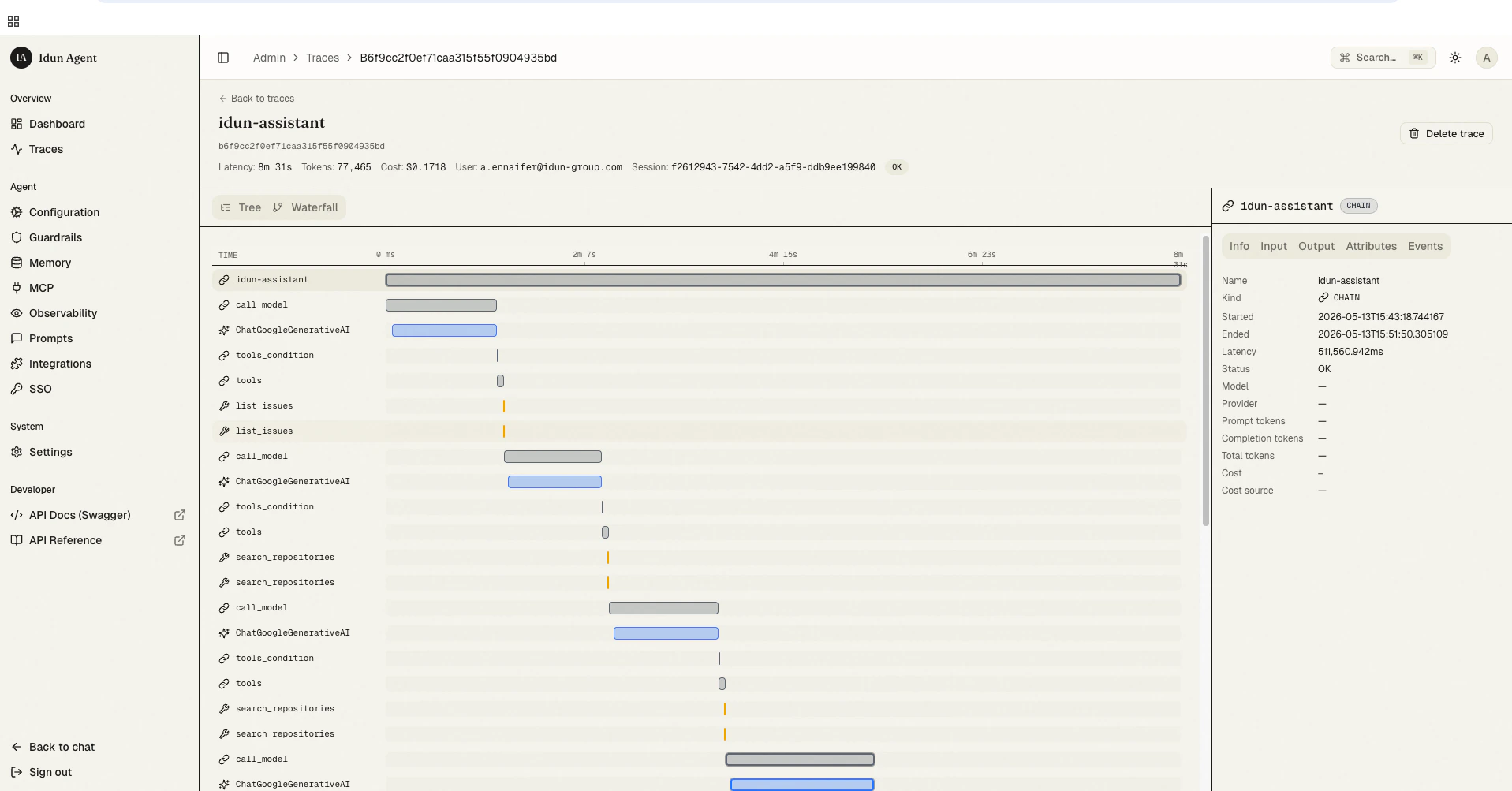
/admin/traces/ and click the run. You get the full span tree (every LLM call and every tool invocation) plus the exact JSON in/out of each tool in the right rail. Useful when the agent picks the wrong tool or passes weird arguments.
What’s next
MCP Servers
the full transport reference and how to register your own MCP server.
Prompts
versioning,
get_prompt() resolution, and the admin REST API.Memory
when to swap SQLite for Postgres.
Local trace store
the bundled span-tree viewer at
/admin/traces/.SSO
provider presets, allowed_domains + allowed_emails, and how validation works.