

Documentation Index
Fetch the complete documentation index at: https://docs.idun-group.com/llms.txt
Use this file to discover all available pages before exploring further.
1. Install
idun console script.
2. Scaffold a project
idun init runs DB migrations and opens your browser at http://localhost:8000/. On a fresh directory the chat root redirects to /onboarding/, and the wizard scaffolds:
agent.py, a minimal LangGraph echo agent (no LLM key required).config.yamlpointing at the agent..env.example, env-var reference.requirements.txtandREADME.md.
agent.py and config.yaml to point at your real agent. The default agent works out of the box for trying the rest of the platform.
3. Run
- Chat:
http://localhost:8000/ - Admin:
http://localhost:8000/admin/ - Traces:
http://localhost:8000/admin/traces/
none on a laptop, so admin is open. When deployed inside a container the published image sets IDUN_IN_CONTAINER=1, defaulting to password and requiring IDUN_ADMIN_PASSWORD_HASH and IDUN_SESSION_SECRET.
4. Configure password auth
http://localhost:8000/login/ with the password you typed into hash-password.
5. Edit the agent live
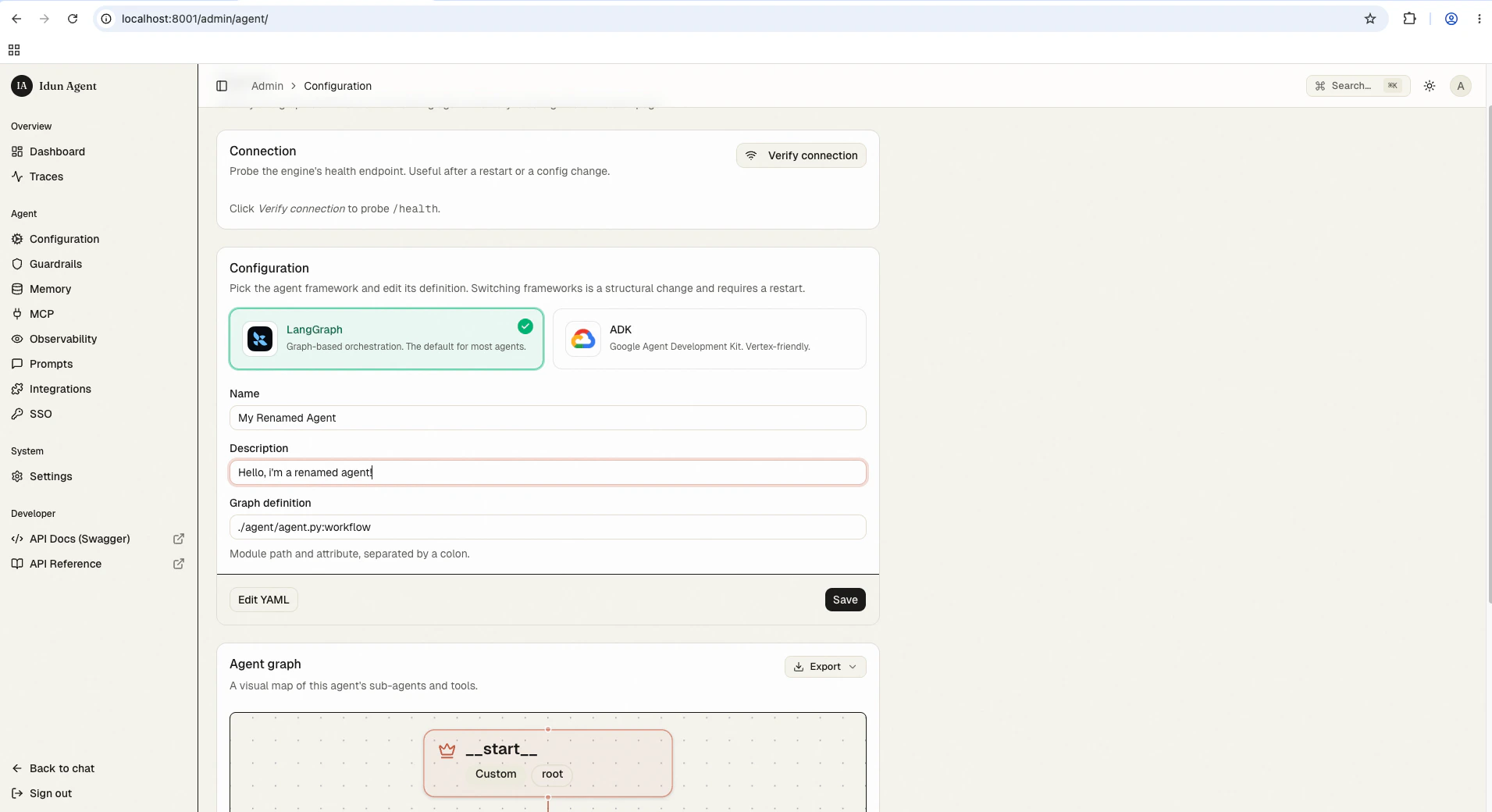
Open/admin/agent/, change any field, click Save. A toast confirms the running agent was hot-swapped. Structural changes (framework, graph_definition path) require a process restart; the UI shows a banner.
6. Watch traces
Send a few messages from/. Open /admin/traces/; your runs appear with latency, token counts, cost, and per-span detail.
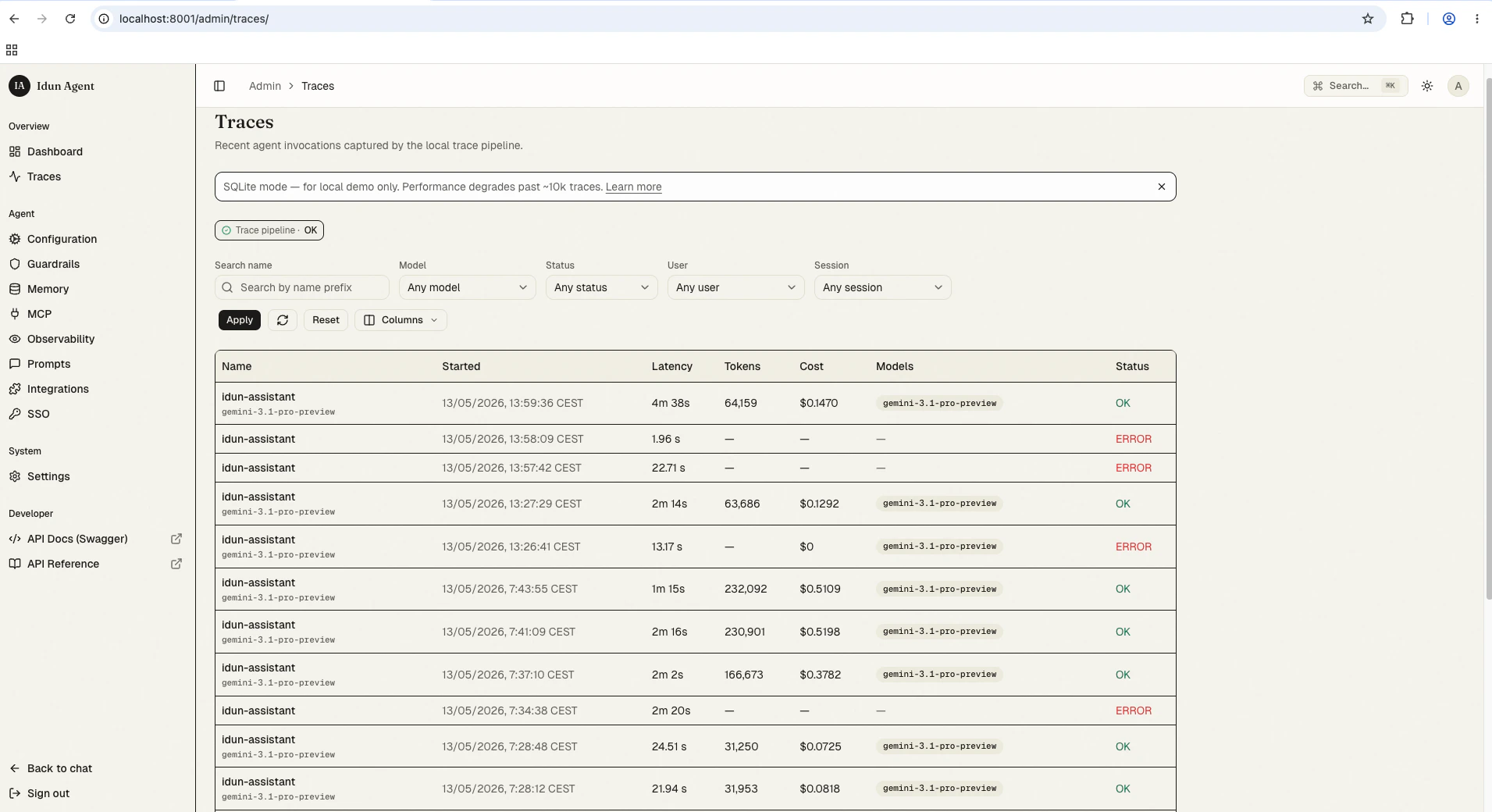
The trace store is in alpha. If your runs don’t appear right away, refresh the page; the write path is asynchronous and the list view doesn’t yet auto-poll.
Local development from a checkout
If you are hacking on the standalone itself or the bundled UI, work from a clone of the repo:make build-standalone-all runs pnpm build for the Next.js UI and uv build for the wheel; the UI static export ends up bundled inside the wheel. See the CLI reference for every flag and env var.
Next
Deploy to Cloud Run
Run the standalone on Google Cloud Run with a managed container.
Customize the chat UI
Theme, layout, and full UI replacement.
CLI reference
Every
idun command, the flags it accepts, and what it does.