

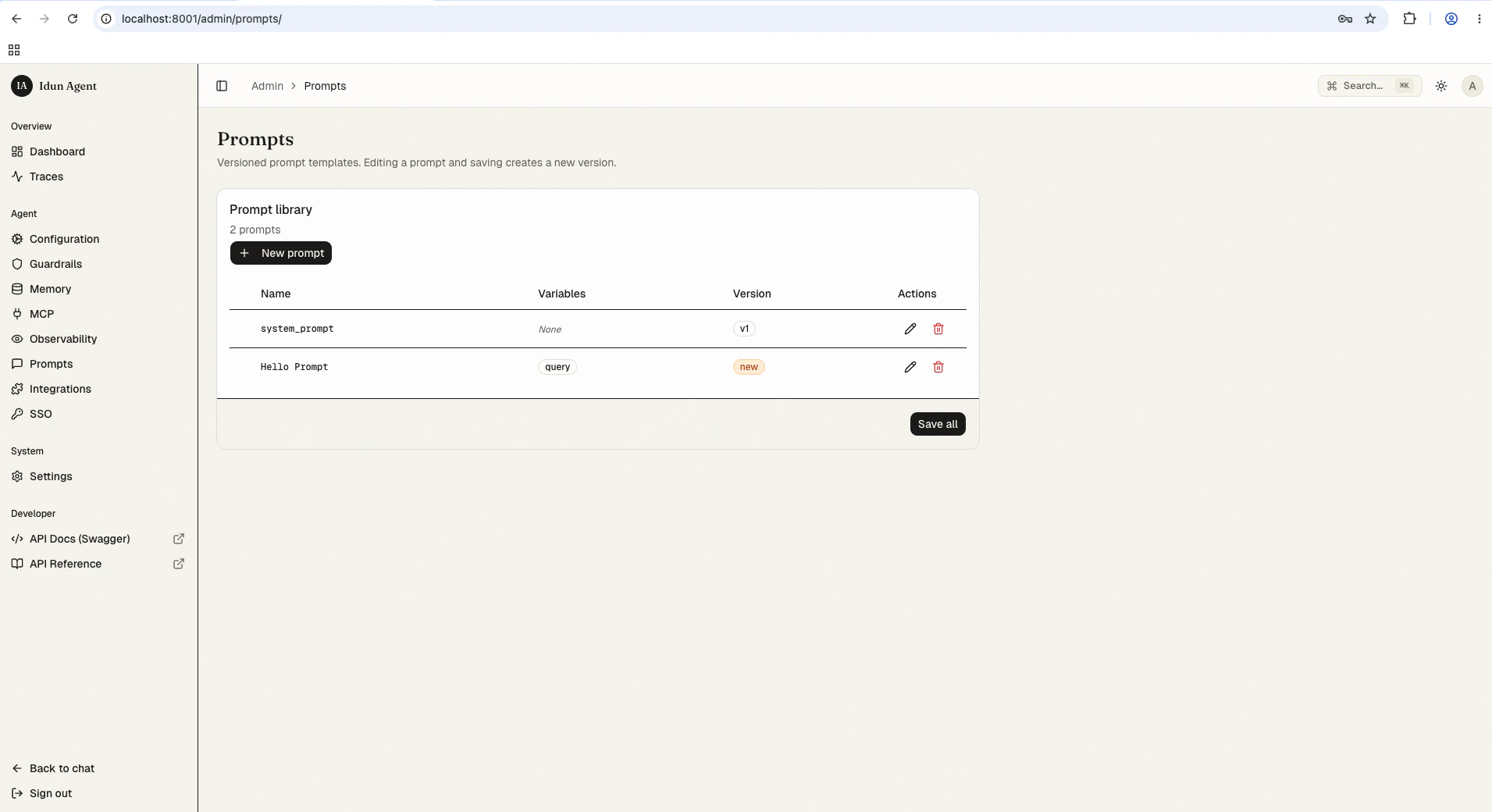
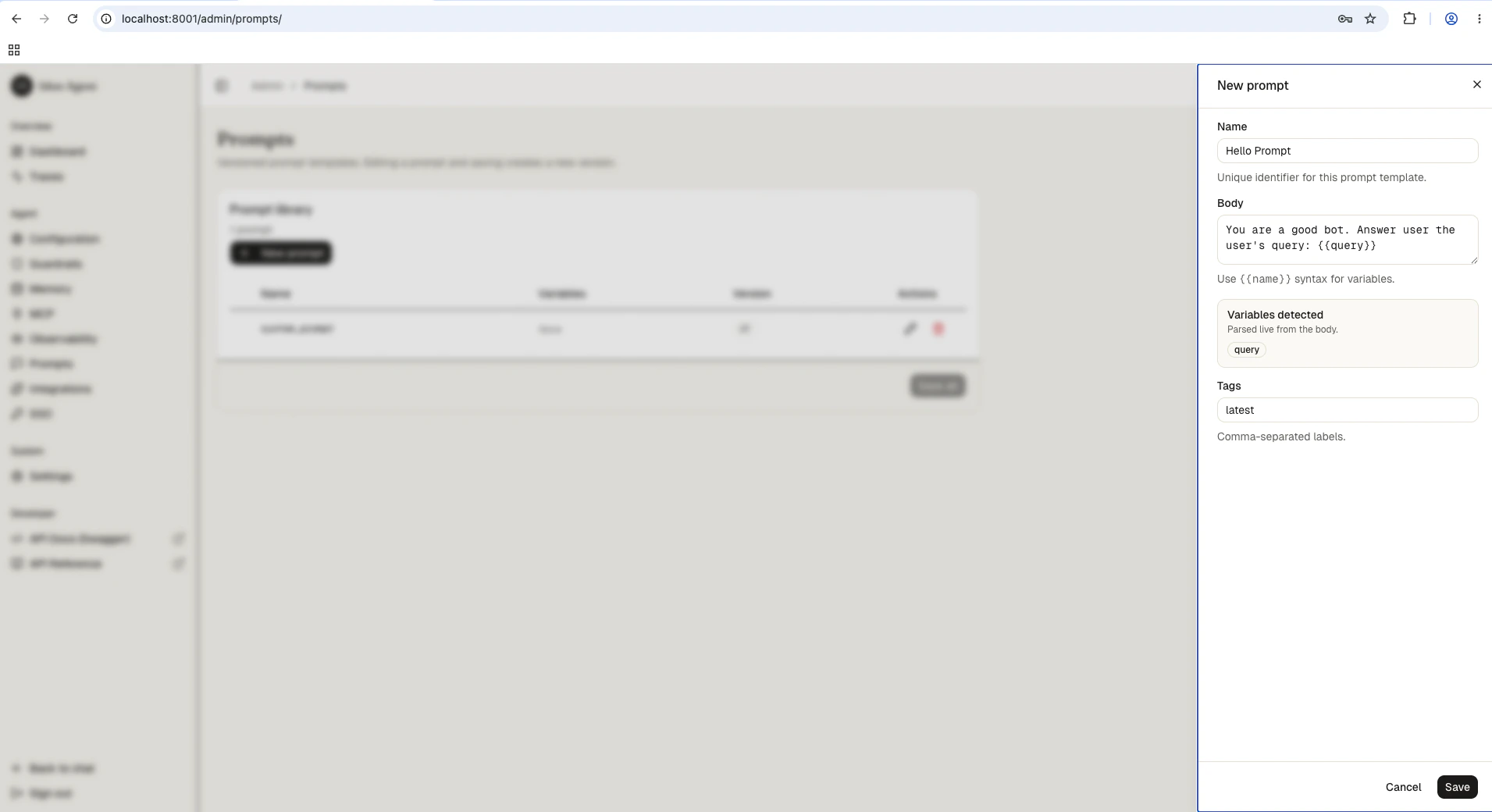
config.yaml (the seed shape) or edit them through the standalone admin panel at /admin/prompts/. Prompts support Jinja2 variables ({{ variable }}) for dynamic content at runtime.
Key concepts
Define prompts
- Config file
- Admin UI
config.yaml
Admin REST API
The standalone exposes the same operations at/admin/api/v1/prompts/. All routes require an authenticated admin session (the cookie set by /admin/api/v1/auth/login).
Set two shell variables once and the snippets below run as-is:
List versions
prompt_id then version DESC.
Create a new version
prompt_id is version 1. Subsequent POSTs with the same prompt_id allocate the next version and move the latest tag onto the new row. The write triggers the reload pipeline; the response includes the new row plus the reload outcome.
Update tags
Content is immutable. Only tags can be patched:The
latest tag is managed server-side. Removing it from a PATCH body is a no-op if the row is still the highest version; you cannot assign latest to an older version manually.Delete a version
latest, the tag is automatically promoted onto the next-highest remaining version of the same prompt_id.
Using prompts in agent code
- Explicit
config_pathargument. - The standalone’s in-process snapshot (set by the reload pipeline; covers the admin-UI / REST path).
IDUN_CONFIG_PATHYAML file (engine-only mode).
LangChain integration
Convert a prompt to a LangChainPromptTemplate:
to_langchain() requires langchain-core. Install it with pip install langchain-core.Best practices
- Use descriptive prompt IDs like
system-prompt,rag-query,summarization(notprompt-1). - Keep prompts atomic: one prompt per concern (system instructions, query template, output format).
- Create new versions for meaningful changes, not typo fixes.
- Use tags like
production,staging,experimentalto track lifecycle. - Pin specific versions in your agent code rather than always resolving against
latest.
Troubleshooting
Prompt not found at runtime
Prompt not found at runtime
- Confirm the prompt exists at
/admin/prompts/(or in the YAML you bootstrapped from). - If you just created it via REST, the reload pipeline must complete before
get_prompt()sees it; check the response’sreload.statusfield. - In engine-only mode, verify
IDUN_CONFIG_PATHpoints at a YAML containing the prompt.
Variables not rendering
Variables not rendering
- Use double braces:
{{ variable }}, not{ variable }. - Pass all required variables to
format(). - The error message includes the prompt ID and version to help identify the issue.
Version numbers not incrementing
Version numbers not incrementing
Auto-increment is scoped per
prompt_id. Creating a version with a different prompt_id starts at 1.