

StateGraph — which means the Idun Engine treats it exactly like any other LangGraph agent. No adapter, no glue code: point Idun at the module, get a streaming API, a chat UI, observability, and MCP tools for free.
This guide takes the official text-to-SQL Deep Agent example, drops it behind Idun, and walks all the way to a Gemini-powered agent that queries SQLite, traces every step in the built-in dashboard and Langfuse, and emails its results via a Google Workspace MCP server.
What you will build
1
Discover the agent
Clone the Deep Agents example, run
idun init, point the wizard at agent.py.2
Chat with it
Ask natural-language questions, watch the planning + SQL tool calls stream live.
3
Persist conversations
Switch the LangGraph checkpointer to SQLite — full chat history with one click.
4
See what's happening
Use the built-in dashboard and trace viewer, then plug Langfuse on top.
5
Plug in a Google Workspace MCP
Connect Gmail / Drive / Calendar through MCP and have the agent email the results.
Prerequisites
- Python 3.12+
- A Gemini API key — get one
- (Step 7) A free Langfuse Cloud account
- (Step 8) A Google Cloud project with a Desktop OAuth client and Gmail API enabled
1
Clone the Deep Agents example
We’ll work from the official The interesting bit of
text-to-sql-agent example. It ships with the Chinook SQLite database and a few skills (query-writing, schema-exploration):agent.py is the very last line:agent.py
create_deep_agent(...) returns a compiled CompiledStateGraph. Idun’s LangGraph adapter accepts both compiled graphs and raw StateGraph builders, so this Just Works — no rewrite needed.2
Set up Idun
Install the engine and the standalone runtime alongside the example’s dependencies:Create Generate the two secrets:
.env from the template the repo ships:.env
IDUN_ALLOW_OPEN_ADMIN=1 lets you reach /admin/* without an auth gate while you explore locally. Turn it off (or remove it) before exposing the service.3
idun init — the discover flow
You don’t need to write What happens on first run:
config.yaml yourself. idun init boots the standalone server, opens your browser, and — since no agent is configured yet — routes you to the onboarding wizard.- Alembic migrations create the standalone DB.
- The server starts on
http://localhost:8000. - Your browser opens the discover wizard.
- Framework — pick
LangGraph. Deep Agents compile to aStateGraph, so the LangGraph adapter handles them. - Graph definition — point Idun at the compiled graph:
agent.py:agent. Format ispath/to/file.py:variable.
4
Verify the wired-up agent
Once the wizard finishes you land in the admin Agent page. The connection probe confirms the engine reports your agent as 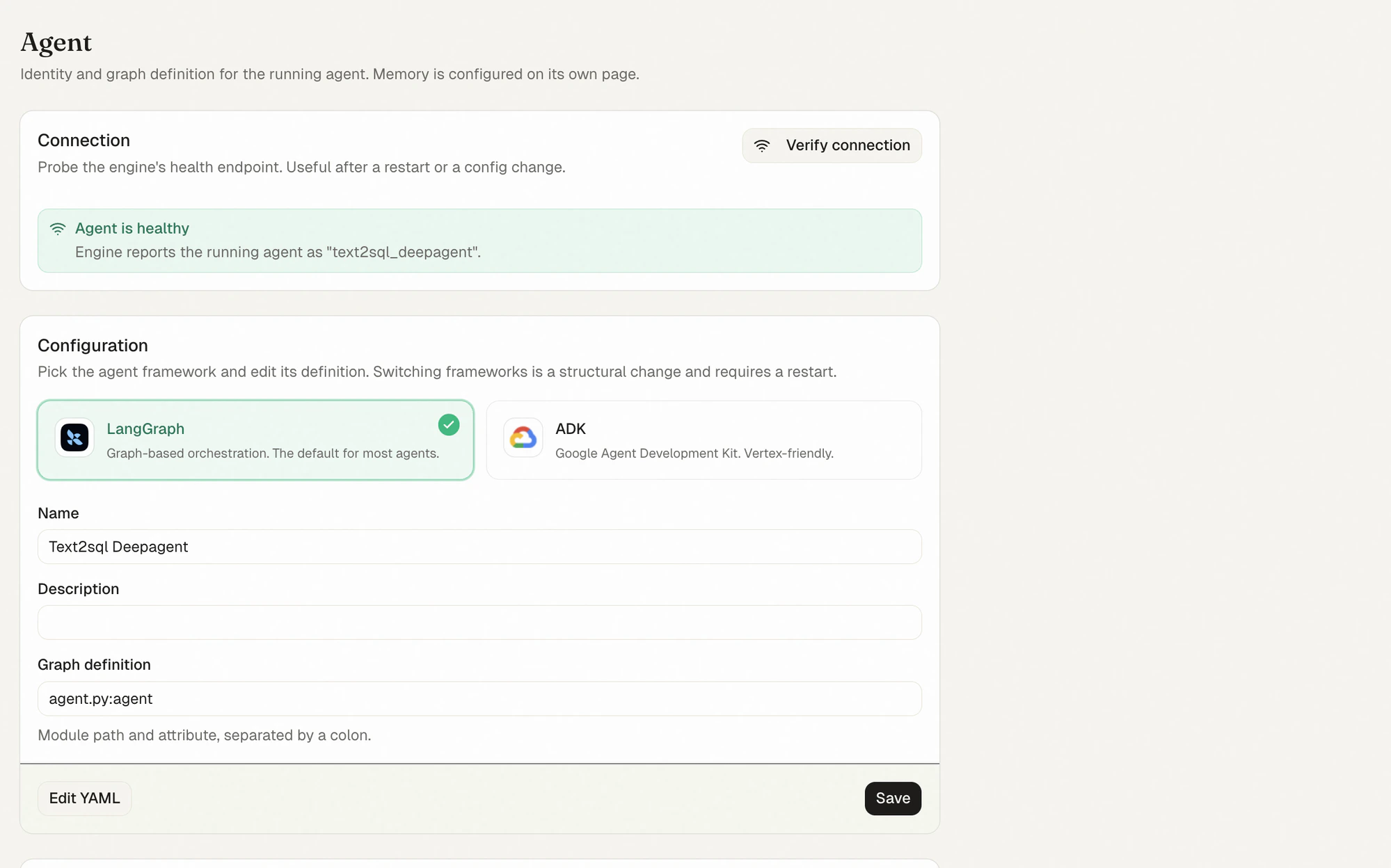
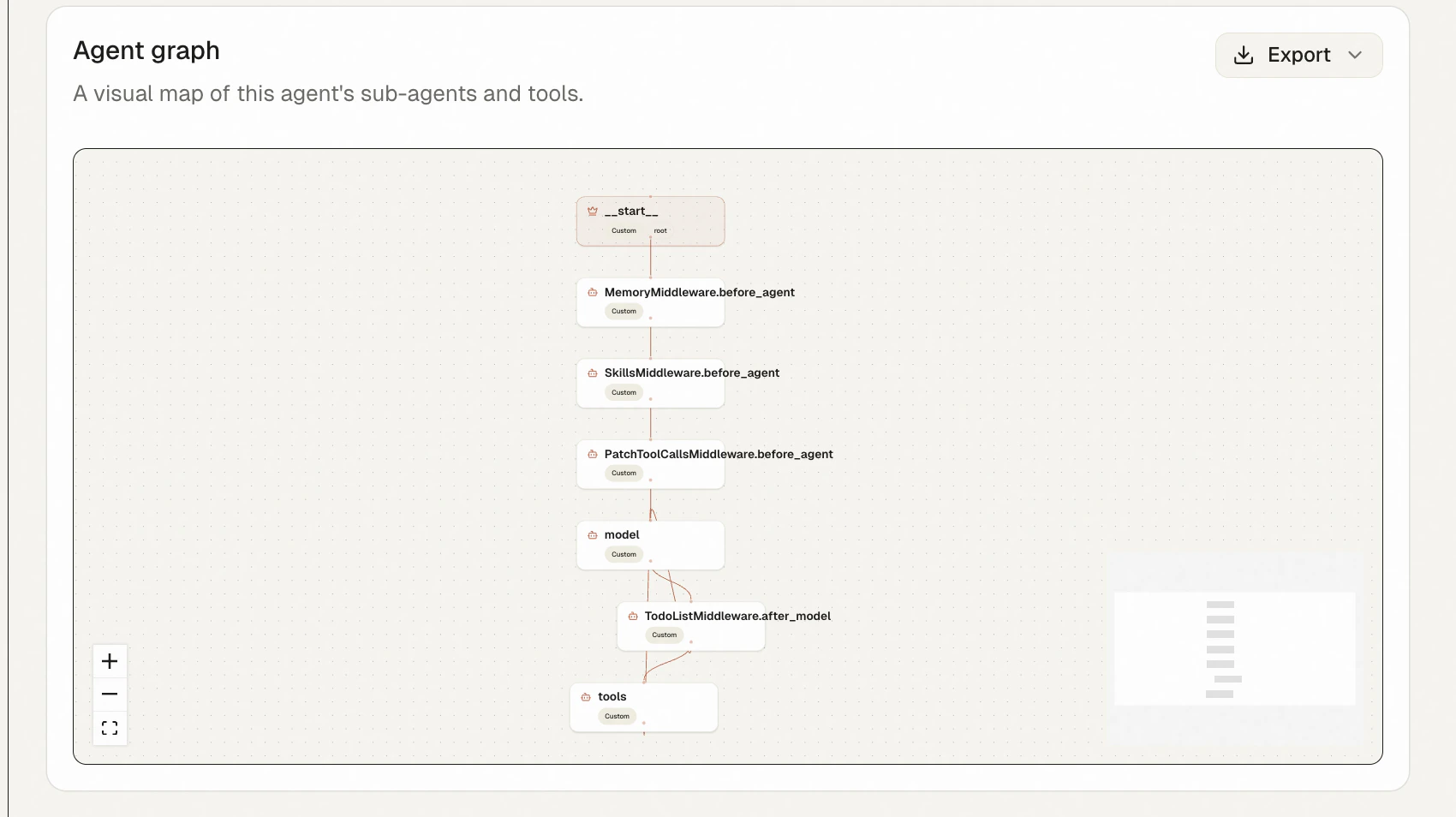
text2sql_deepagent; the configuration card shows the framework (LangGraph), the agent name, and the agent.py:agent graph reference.MemoryMiddleware, SkillsMiddleware, and PatchToolCallsMiddleware before_agent hooks, the model node, the TodoListMiddleware.after_model post-hook, and the tools node. This is the Deep Agents runtime, made visible.5
Chat with the Deep Agent
Open 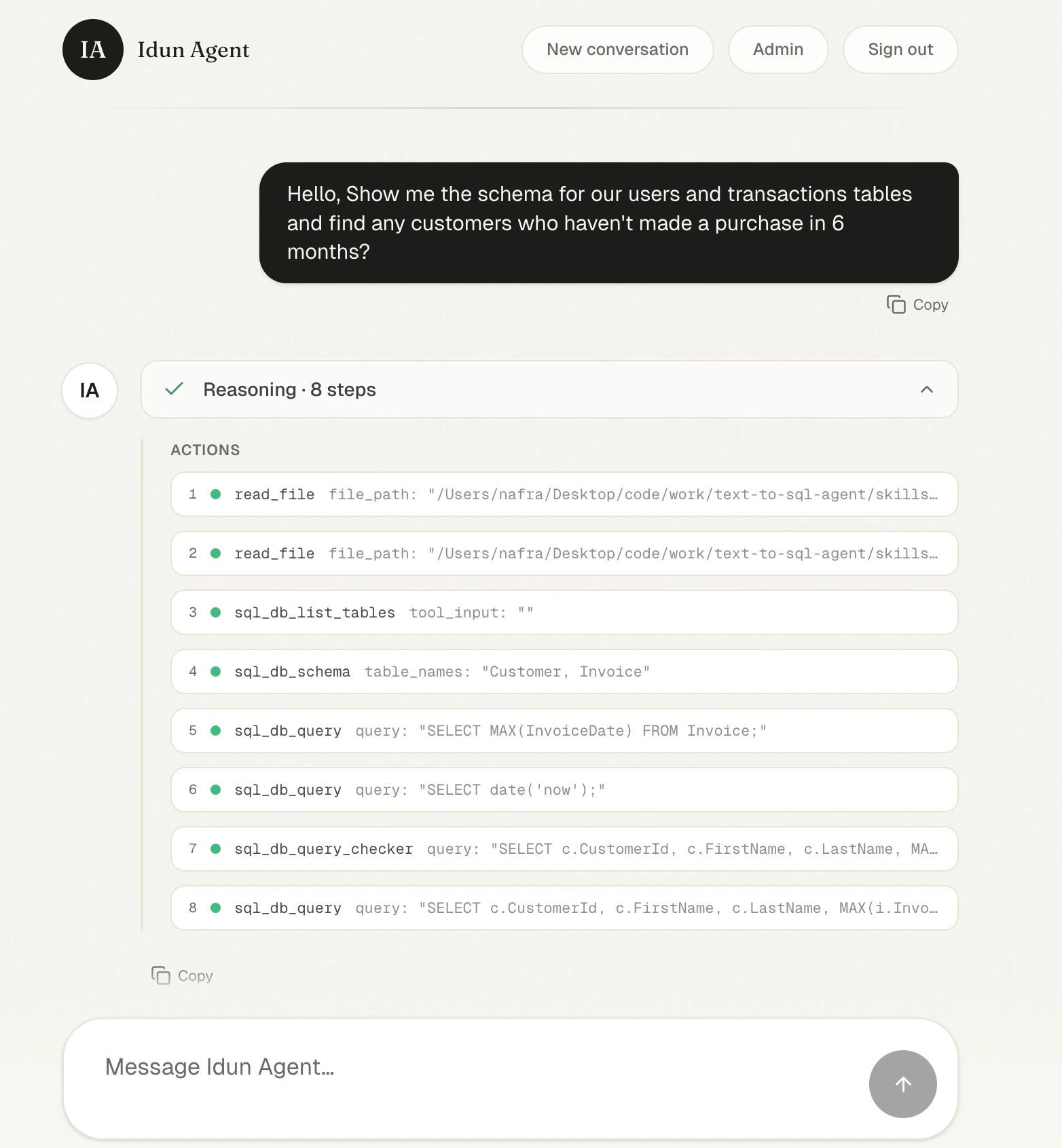
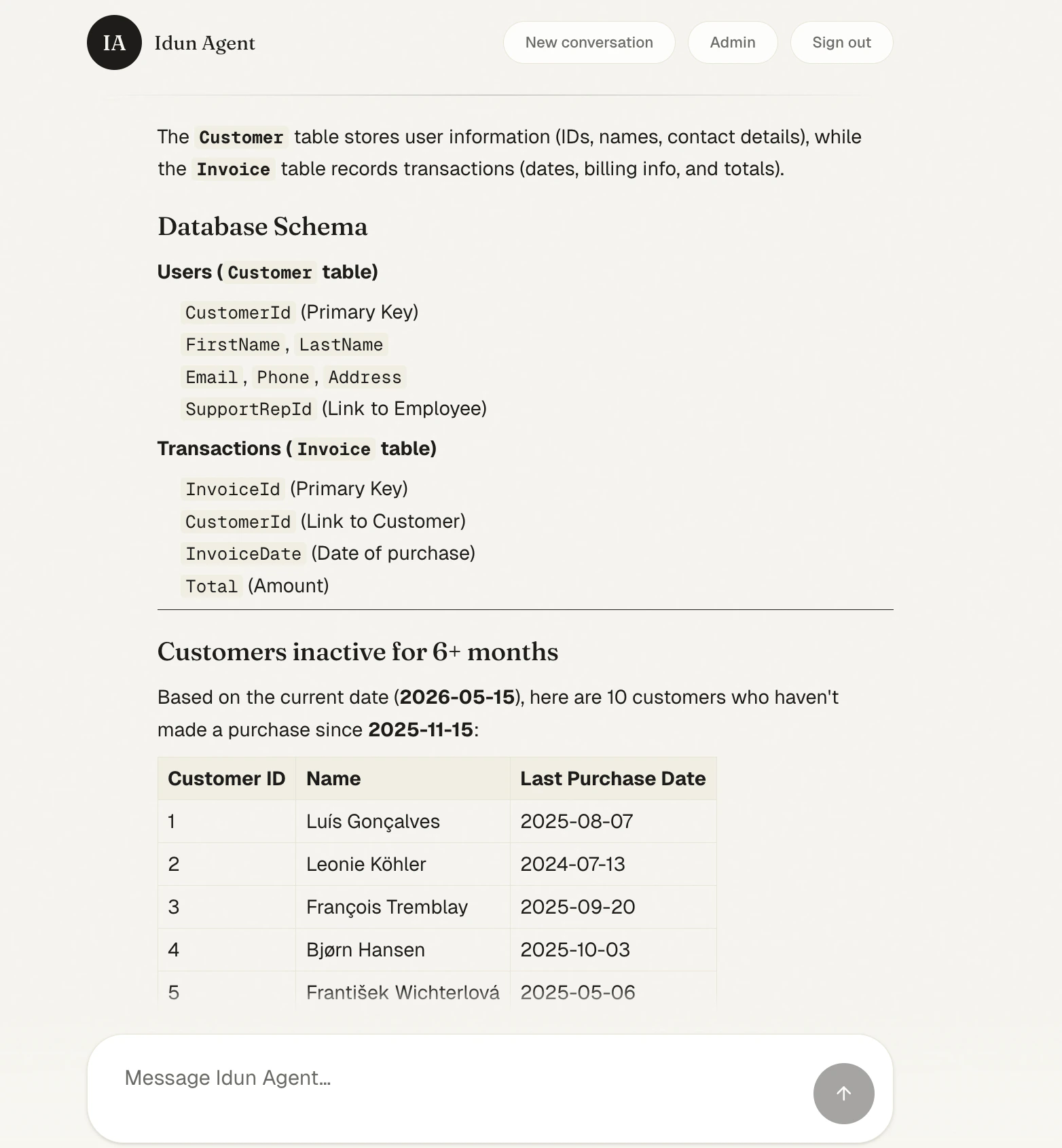
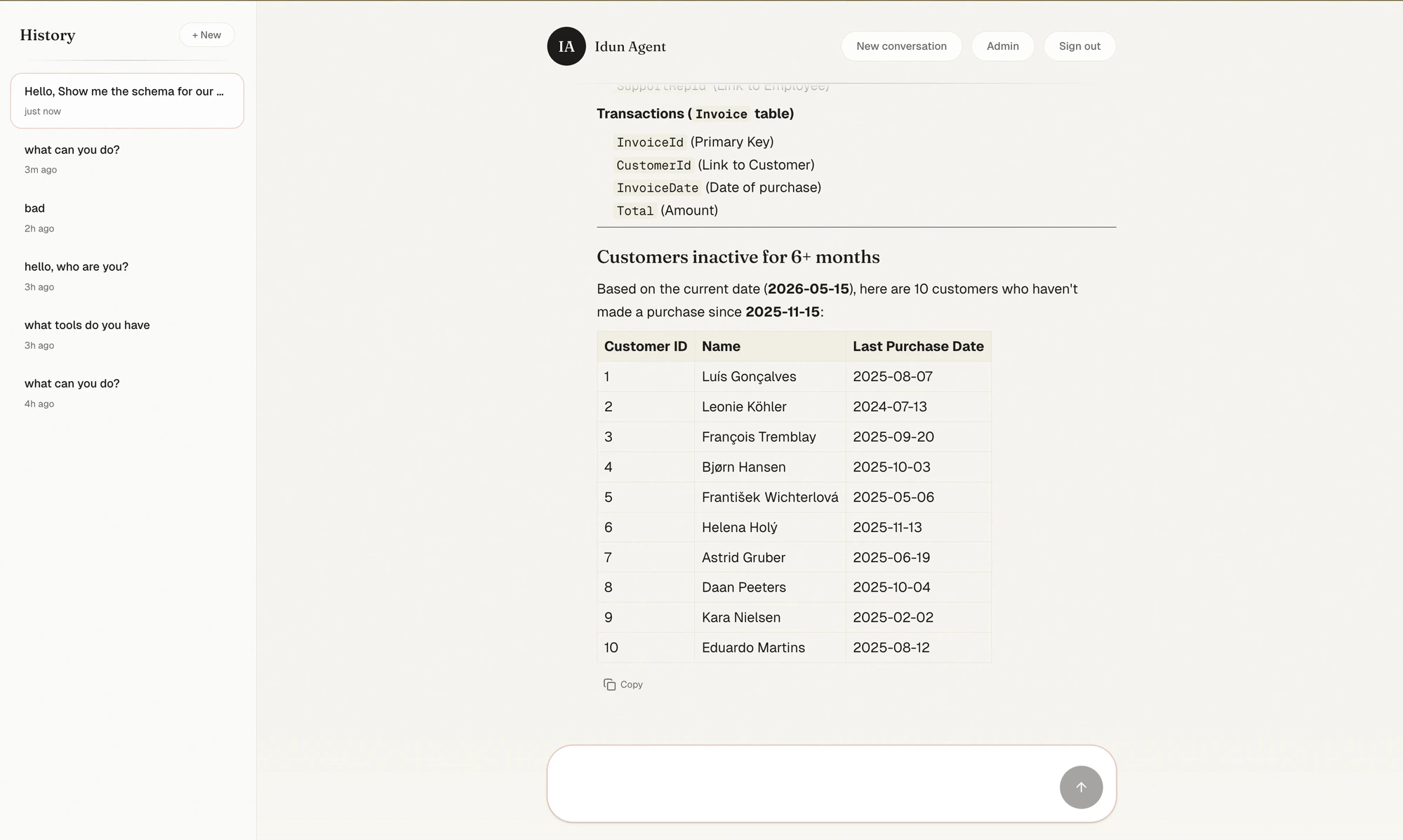
http://localhost:8000/ and ask something the agent has to plan for:Hello, show me the schema for our users and transactions tables and find any customers who haven’t made a purchase in 6 months.The chat collapses the agent’s planning into a Reasoning card. Expand it and you see exactly what the Deep Agent did: it loaded its skills via
read_file, listed the SQL tables, fetched the Customer and Invoice schemas, sanity-checked the date, ran the query through sql_db_query_checker, and finally executed the result.- “Top 5 best-selling artists?”
- “Which employee generated the most revenue, broken down by country?”
- “Plot revenue by genre and write a one-paragraph summary.”
POST /agent/run endpoint is exposed at the API level — point CopilotKit, Vercel AI SDK, or any AG-UI client at it.6
Persist conversations with SQLite
By default the LangGraph checkpointer is in-memory: restart the server and every conversation is gone. The Memory page in the admin lets you swap the backend without touching code.Pick SQLite, set a file-backed URL (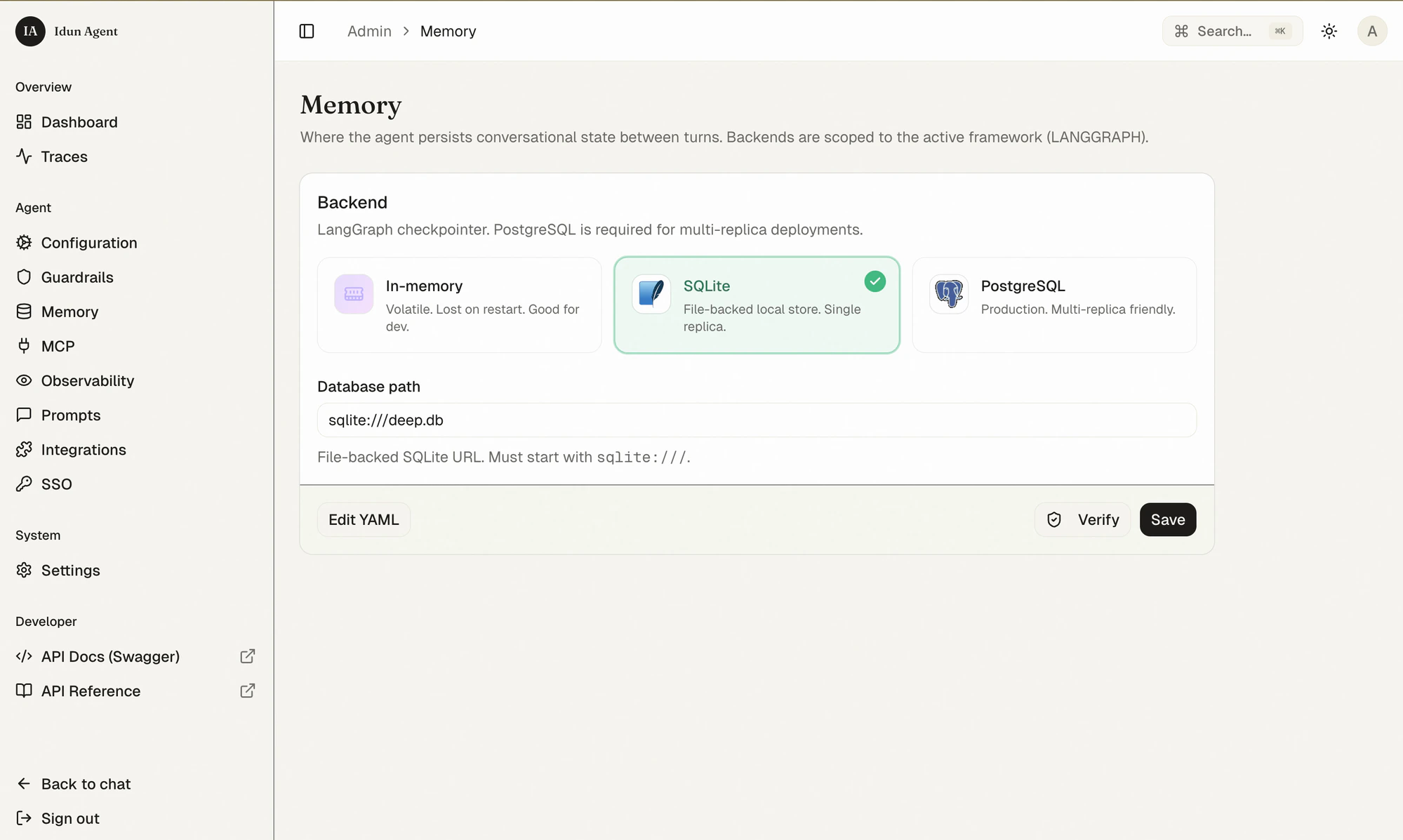
sqlite:///deep.db), Save. Idun reloads the checkpointer in place.7
Built-in observability
Before you wire up an external trace backend, Idun already gives you a built-in dashboard and a trace viewer powered by the same OpenTelemetry stream.The Dashboard summarizes the last 24 hours: request count, p50/p95 latency, error rate, total cost, requests-per-minute and latency time series, and top error spans.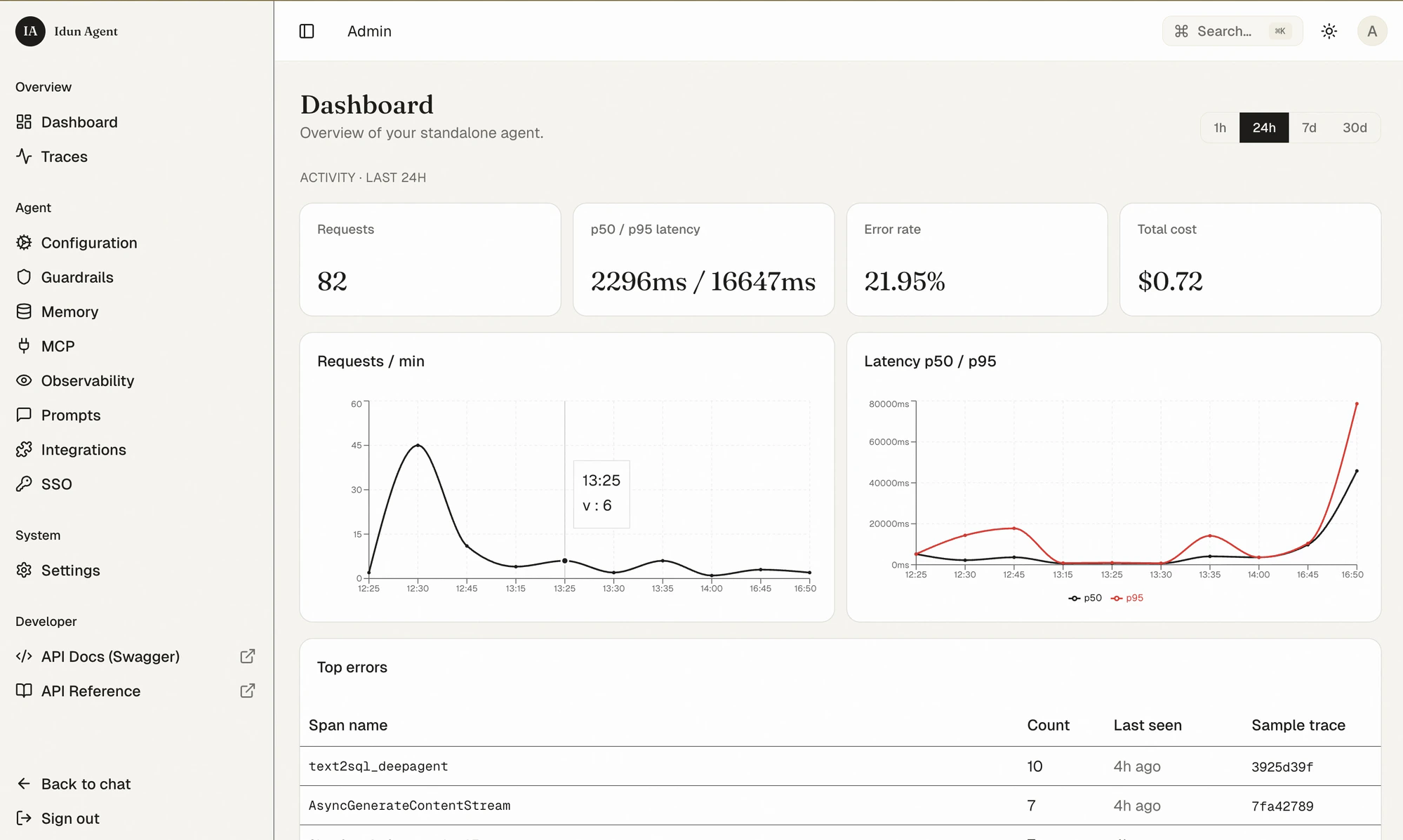
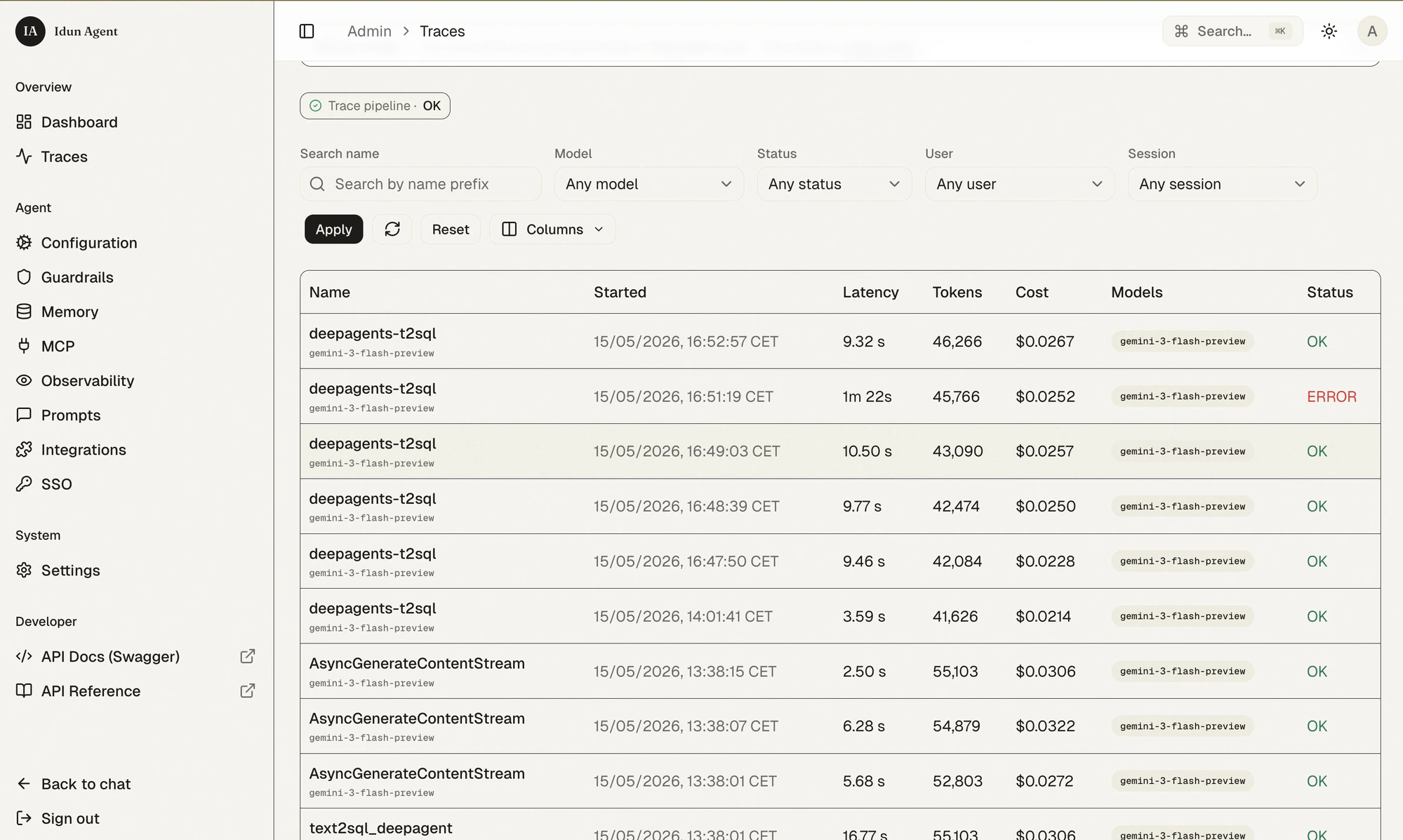
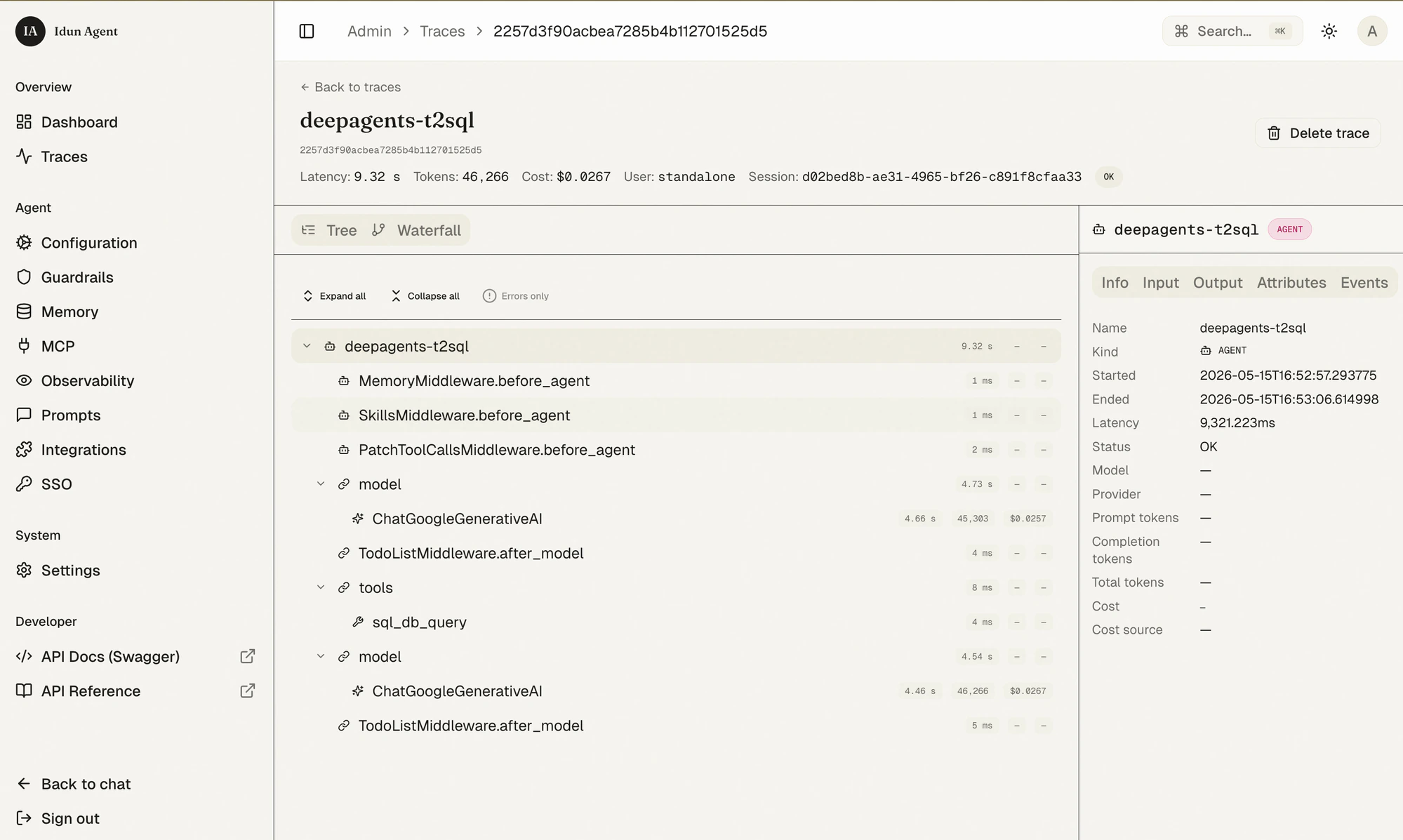
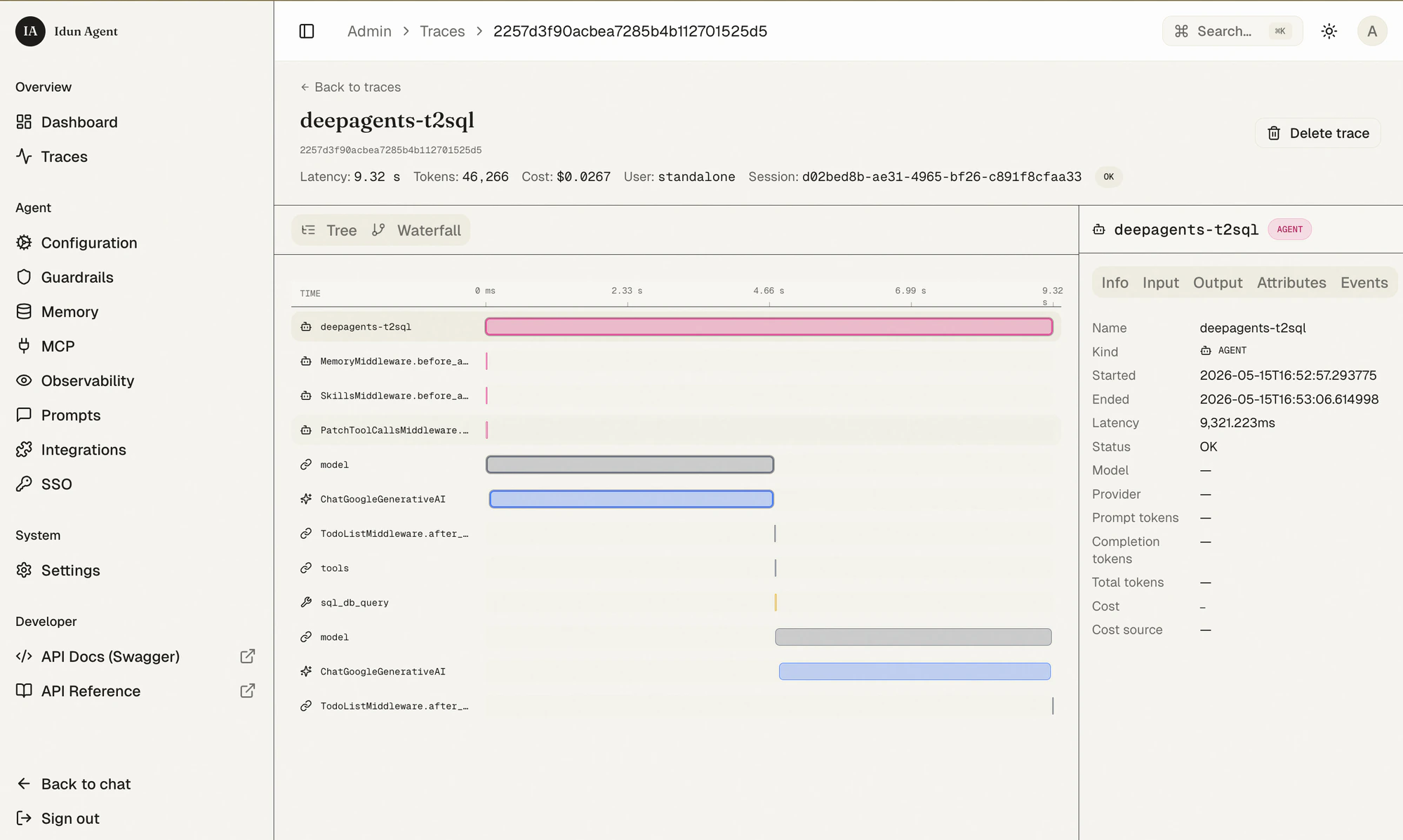
ChatGoogleGenerativeAI calls with their token counts, and the sql_db_query tool span.8
Add Langfuse on top
Already-rich built-in observability is fine for development. For long-term storage, evaluations, prompt management, and team-wide sharing, plug in Langfuse.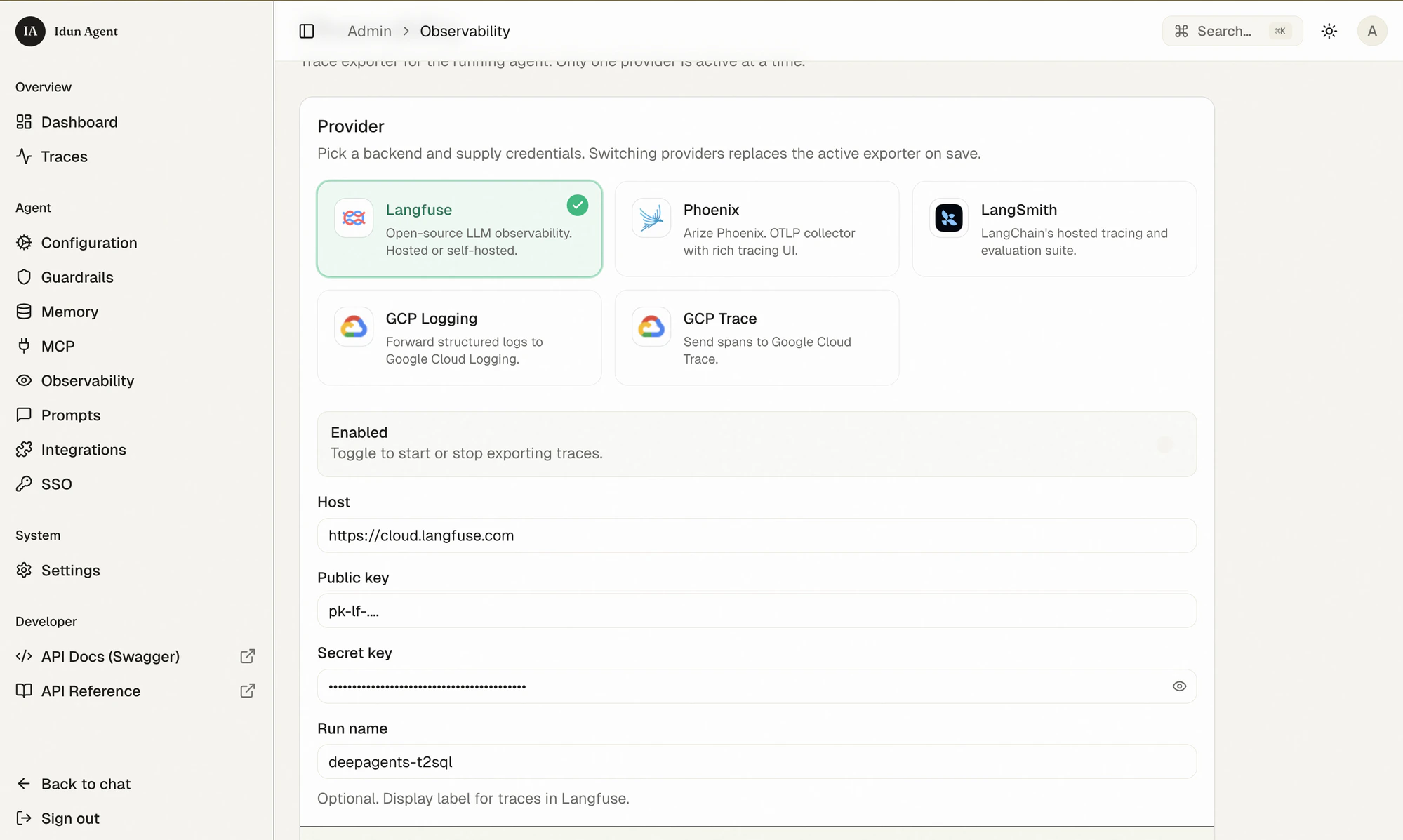
- Sign up for Langfuse Cloud (free) and create a project. Copy the public + secret keys.
- In the Idun admin, open Observability → pick Langfuse, fill in host, public key, secret key, and a run name. Toggle Enabled and Save.
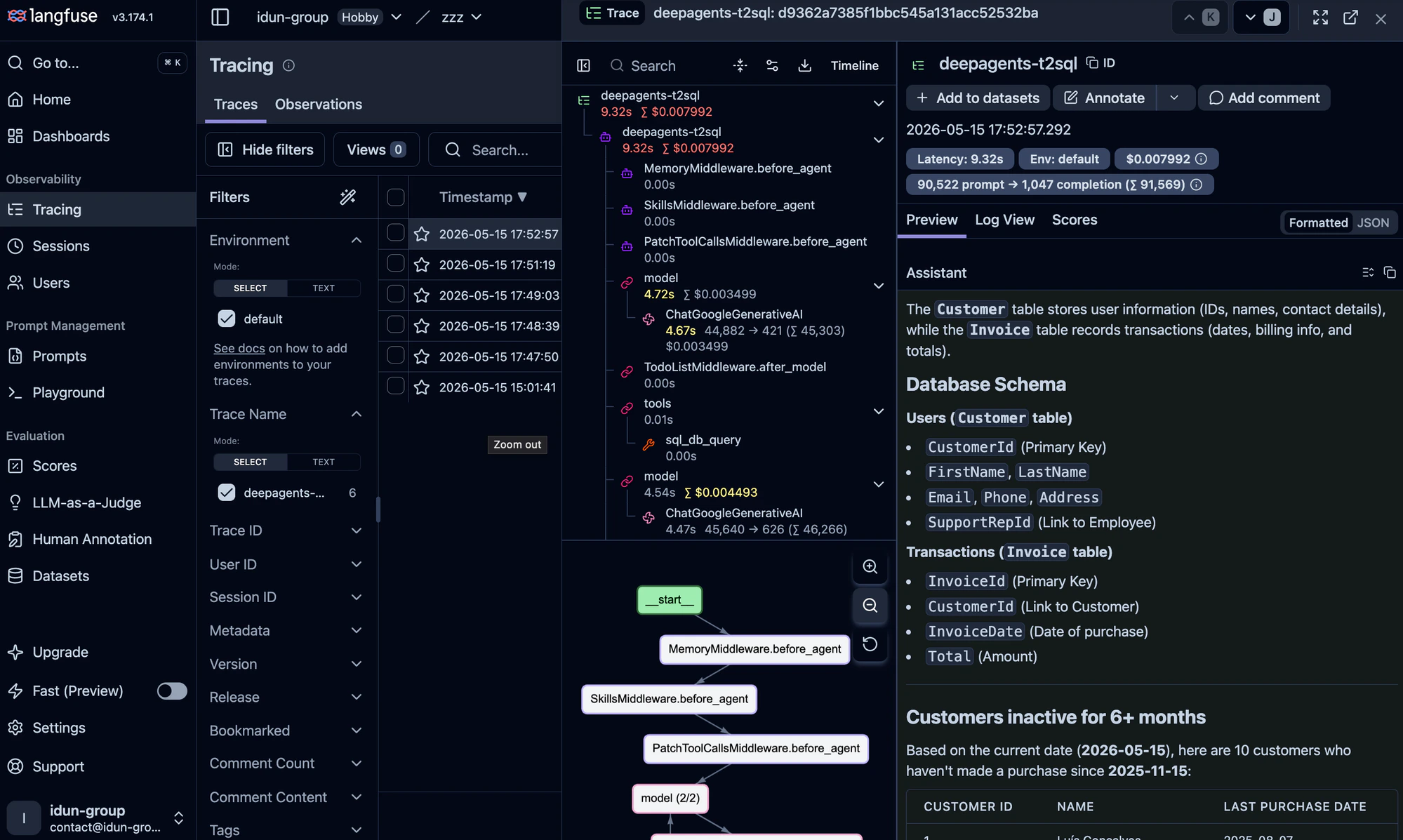
- Ask the agent another question. Refresh the Langfuse dashboard.
ChatGoogleGenerativeAI call with tokens and cost, the tool spans, the full prompt/completion pair. Langfuse also renders the graph topology — same nodes you saw inside Idun, now persisted for evaluation runs and team review.Idun supports Langfuse, Arize Phoenix, LangSmith, GCP Trace, and GCP Logging side-by-side. They don’t conflict; add more on the same Observability page.
9
Plug in the Google Workspace MCP
Now the fun part: give the agent the ability to email its findings. We’ll use the open-source Google Workspace MCP server, which exposes Gmail, Calendar, Drive, Docs, Sheets, Slides, and Forms as MCP tools.The first time you connect, the server prints an OAuth URL — complete the consent flow once and the token is cached for future runs.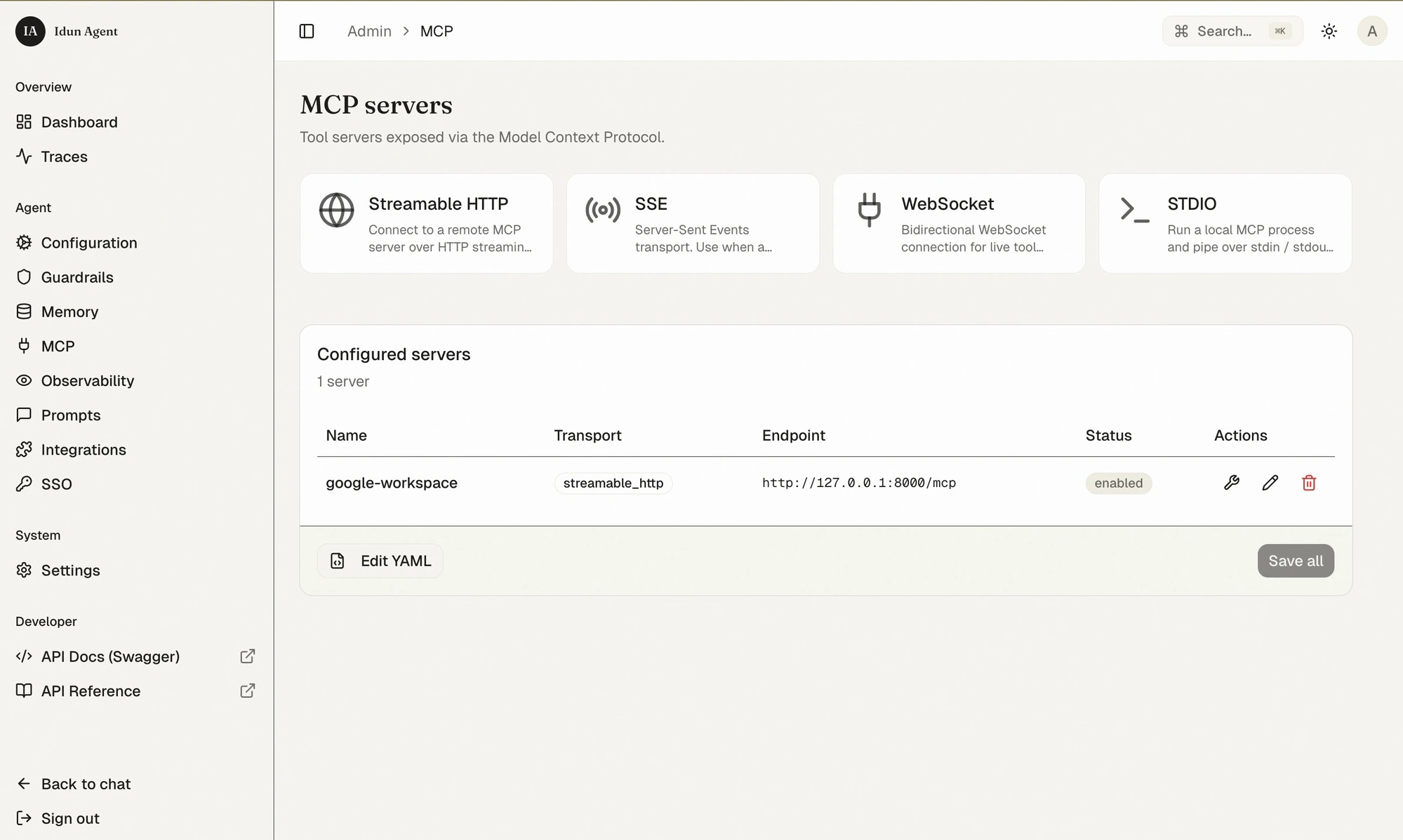
9a. Get a Desktop OAuth client
In Google Cloud Console:- Create or pick a project, enable the Gmail API and Google Docs API (and any other Workspace APIs you want).
- APIs & Services → Credentials → Create credentials → OAuth client ID → Desktop app.
- Copy the client ID and secret into
.env:
.env
9b. Start the MCP server
Run the Google Workspace MCP locally over streamable HTTP:9c. Register the server in Idun
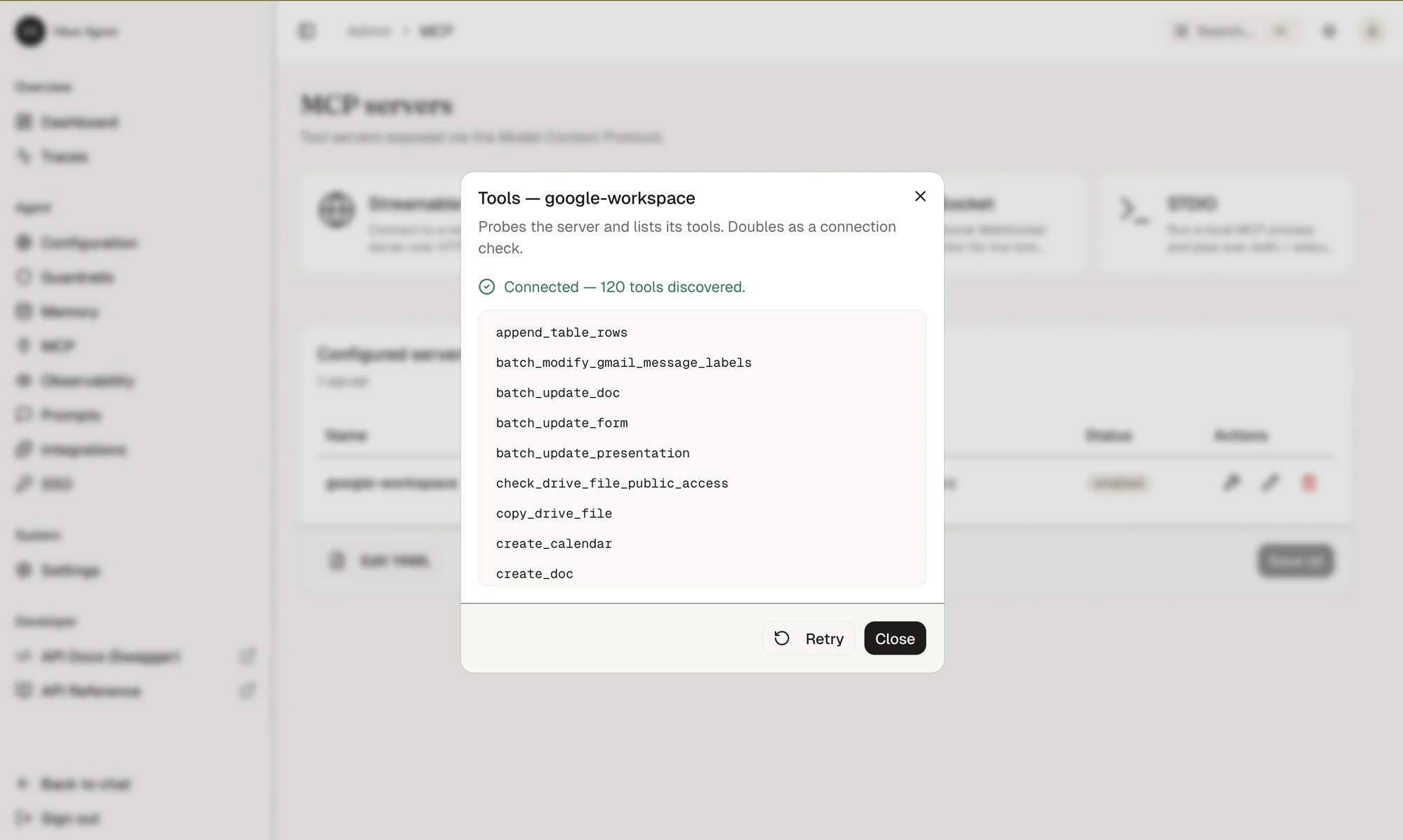
In the admin: MCP → pick Streamable HTTP → fill in the endpoint (http://127.0.0.1:8000/mcp), name it google-workspace, save.send_gmail_message, create_doc, create_calendar, append_table_rows, and 116 others.9d. Wire the tools into the Deep Agent
Deep Agents bind tools at construction time, so we expose Idun’s configured MCP tools tocreate_deep_agent. The engine ships an async helper for this — idun_agent_engine.mcp.get_langchain_tools — that reads the MCP servers from your Idun config and returns ready-to-use LangChain tools.Because agent.py is imported at module load (inside the engine’s lifespan, where an event loop is already running), we wrap the async helper in a one-shot thread so it can be called synchronously:agent.py
9e. Ask the agent to ship the report
Back in chat:
Find the 10 customers who haven’t bought anything in 6 months. Write up a detailed report as a Google Doc and email it to me at you@example.com.
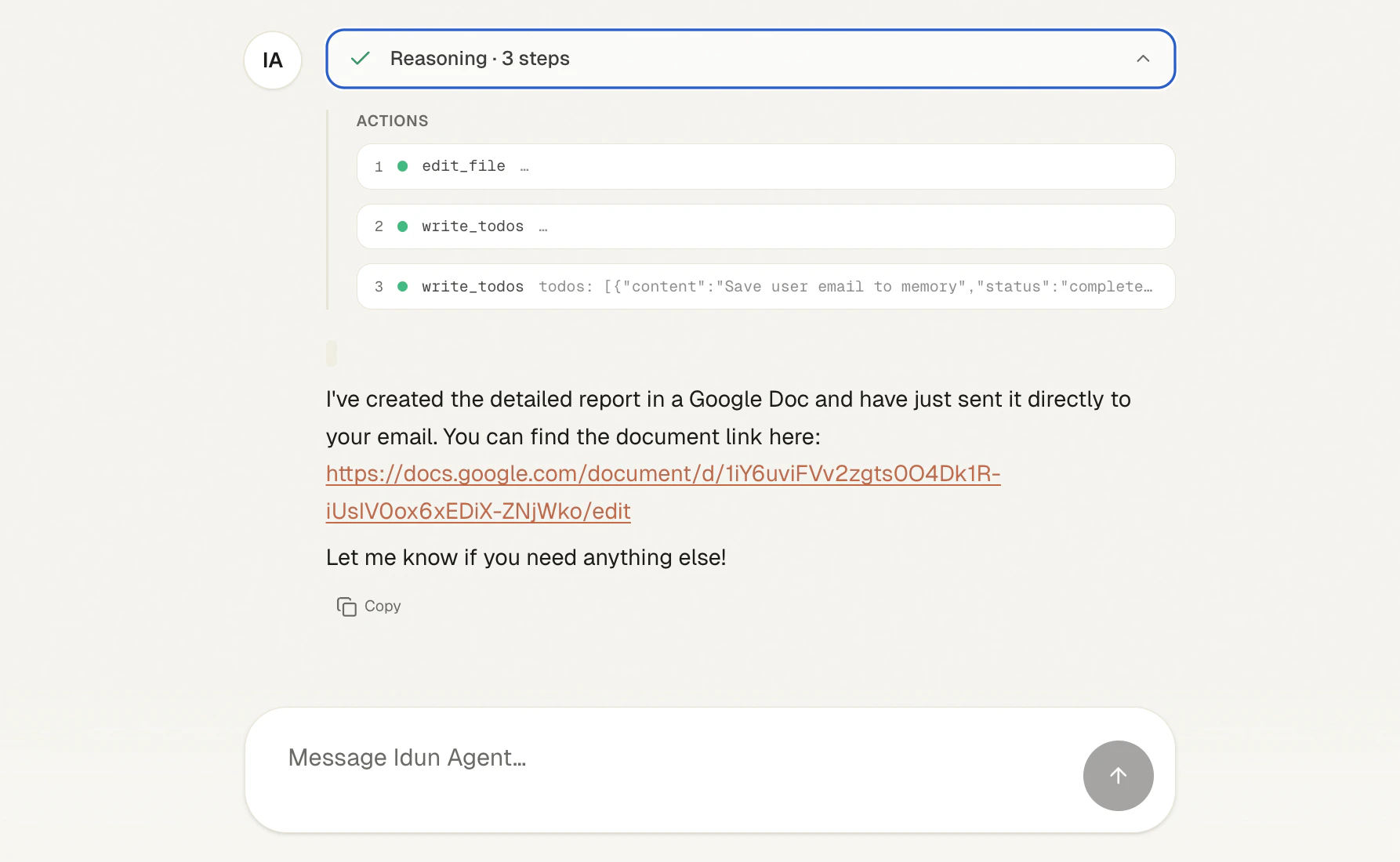
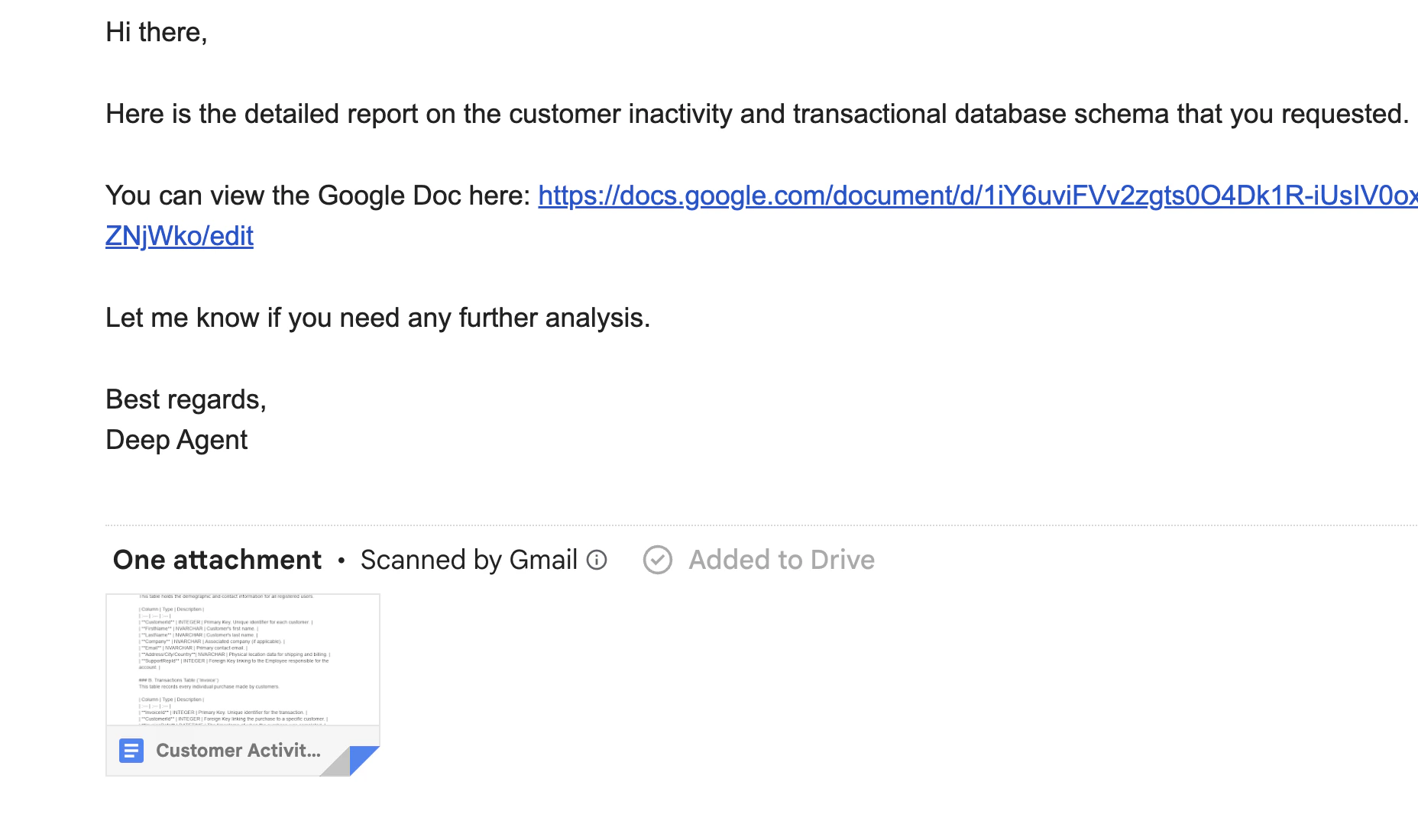
The Deep Agent plans, runs the SQL, edits its working file with the report content, saves your address to memory via write_todos, then calls the MCP tools to create a Google Doc and send the email with the doc linked.create_doc and send_gmail_message calls show up in the trace alongside the SQL steps — full causal chain in one place.What this gave you
Starting from anagent.py you didn’t touch, you got:
Total engine code written: zero lines.
Next steps
Lock down access
turn off
IDUN_ALLOW_OPEN_ADMIN, add SSO/OIDC, generate API keys for /agent/run.Swap SQLite for PostgreSQL
when you go multi-replica — same Memory page, same one-click reload.
Add input guardrails
(PII, prompt injection) before exposing the chat publicly.
Deploy to Cloud Run
with the provided Dockerfile.